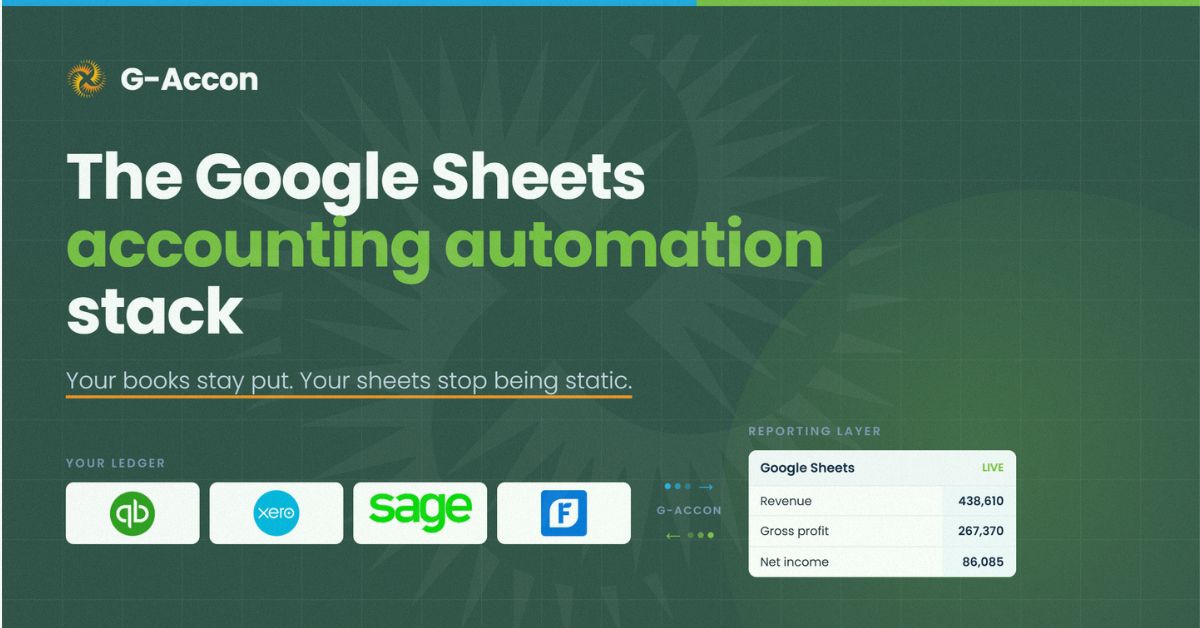
Google Sheets can now run as a live reporting layer for your firm, pulling data straight from QuickBooks, Xero, Sage, and FreshBooks instead of waiting on a manual export. That's the whole idea behind the accounting automation stack: your books stay exactly where they are, and your sheets stop being static.
TL;DR
- What the stack is: Google Sheets working as a live reporting layer, connected directly to your accounting software instead of running on manual exports.
- What tools are involved: G-Accon connects QuickBooks Online, Xero, Sage, and FreshBooks to Sheets, while your accounting platform stays the system of record.
- What it enables: automated P&L and balance sheet reports, cash flow analysis, multi-entity consolidation, budget vs actuals, and two-way sync back into your books.
- Who it's for: accountants and firms already working in QuickBooks, Xero, Sage, or FreshBooks who want their Google Sheets reporting to stay current without anyone touching an export button.
- What it takes: no coding. You authenticate your accounting software, decide what data to pull, and build your reports in Sheets the way you already know how.
What "the Stack" Actually Means
If you've worked in a firm for more than a few years, you already know the routine. Someone exports a report out of QuickBooks or Xero, pastes it into a sheet, and fiddles with it until the formulas downstream still work.
Then they do the same thing next week. And the week after that. Nothing's wrong with the sheet itself. It's the getting-data-into-it part that eats the time, and it's why so many "reports" are already a few days stale by the time a client actually sees them.
The stack fixes that one problem. Google Sheets doesn't turn into your accounting system, and it was never meant to. Google describes Sheets as an online spreadsheet app for creating, formatting, analyzing, and collaborating on spreadsheet data. QuickBooks, Xero, Sage, or FreshBooks stays the source of truth for every transaction, balance, and journal entry your firm records.
What changes is how that data gets from your books into your sheet. Instead of a person doing it by hand, G-Accon handles it through a connection you set up once. Your chart of accounts, your P&L, your balance sheet, all of it flows into the templates you've already built, and it keeps flowing on whatever schedule you set.
That's really why "stack" is the right word here, not "tool." You've got three pieces working together: the accounting software holding the real data, G-Accon moving that data around, and the Google Sheet where you actually do the reporting and analysis your firm cares about.
Picture a five-person firm running twenty client books. Right now, someone on that team basically owns "export day," whatever day that ends up being, and every report the firm relies on is only as fresh as the last time that person got around to it.
Once the stack's in place, that job disappears. A partner opens a sheet on a Tuesday afternoon and it reflects what happened in the books that morning, not whatever was true the last time somebody remembered to hit refresh. Small change in mechanics. Big change in how much you can actually trust the number sitting in front of you.
The Four Connections That Make the Stack Work
Most firms aren't running one accounting platform across every client, so the stack has to bend to whichever one you're on. Here's how each connection actually behaves.
QuickBooks Online
G-Accon for QuickBooks reads straight out of QuickBooks Online, accounts, transactions, classes, reports, all of it. You authenticate your QuickBooks account once, pick what you want pulled into a given sheet, and it just stays connected from there.
QuickBooks tends to be the platform most firms building this setup start with, and it's usually the connection people use to test the whole approach before rolling it out further.
It's worth taking your time on that first connection, because it becomes the template you'll repeat for every other client on the platform. And once you've mapped one QuickBooks client's P&L into a sheet, mapping the next one is mostly copy-paste and pointing it at a different company file.
Xero
G-Accon for Xero works the same way for firms on Xero. You connect the Xero organization, pull in whatever data you need, and it refreshes on the schedule you pick. If your firm has a mix of QuickBooks and Xero clients, you're not managing two separate systems to make this happen. Both connections work the same way from your side of things.
Sage
G-Accon for Sage covers firms running on Sage, which shows up more than people expect once you start asking clients what they're actually on. Accounts, contacts, journals, transactions, and sales invoices pull into Sheets the same way they do for QuickBooks or Xero, and it includes the same two-way connection, so you can push exports, imports, or deletions back into Sage straight from the sheet instead of wrestling with a CSV file.
Having Sage in the mix matters more than it sounds like it should. Without it, a single Sage client means going right back to manual exports for that one book, even if everyone else on your roster is fully automated.
FreshBooks
G-Accon for FreshBooks rounds things out, and it matters more than you'd think for firms with smaller clients or ones running service businesses where FreshBooks is common.
Reports and invoicing data pull into Sheets the same way they do for QuickBooks, Xero, or Sage, so you're not stuck manually exporting just because one client happens to sit on a different platform than the rest of your book.
A lot of firms actually feel this the most. That one client on a different platform used to mean a separate, manual process just for them. Now that client's reporting just fits into the same workflow as everyone else's, instead of turning into the exception the team has to remember every month.
What You Can Actually Do Once the Data's Live
Getting the data connected is step one. What you build on top of it is where the stack actually earns its keep.
Automated Reports
Once G-Accon's pulling data into a sheet, your P&L and balance sheet stop being something you rebuild from scratch every period. You set up the template once, hook it into G-Accon automation, and it updates on a schedule, daily, weekly, monthly, whatever fits your close.
Same story for any financial reports you already run regularly. You're not redoing the report each time. You're just opening a sheet that already has today's numbers in it.
For a firm handling monthly close across a full client list, this is usually where you feel the time savings first. Reports that used to eat a chunk of a Monday morning are just sitting there, done, because the schedule ran overnight. Whoever used to own that task gets that time back for actual analysis instead of data entry.
Cash Flow Analysis
Since transactions and balances stay live in the sheet, cash flow forecasting gets a lot more useful. You're working off what actually happened last week, not a snapshot from whenever someone last remembered to export.
That matters most for the question clients ask nearly every month: what does our cash on hand look like a few weeks out, and what happens if a big payment slips.
A forecast built on stale numbers is really just a guess wearing a nicer outfit. One built on data that updated this morning is something you can actually stand behind in a client meeting, and it holds up a lot better when someone pushes back on an assumption.
Multi-Entity Consolidation
Firms with several clients, or clients with more than one entity, hit the same wall over and over: getting one consolidated view means manually stitching together reports from separate sets of books.
Multi-entity consolidation through G-Accon pulls data from multiple QuickBooks or Xero companies into a single sheet, so a firm-level view updates the same way any single-client report does, on its own schedule, with nobody reassembling it by hand.
Doesn't matter if you're consolidating five entities under one holding company or comparing twenty unrelated clients side by side in a dashboard sheet, the mechanics work the same either way. Each entity's numbers land in their own space in the sheet, and the consolidated view just sits on top, pulling from all of them.
Budget vs Actuals
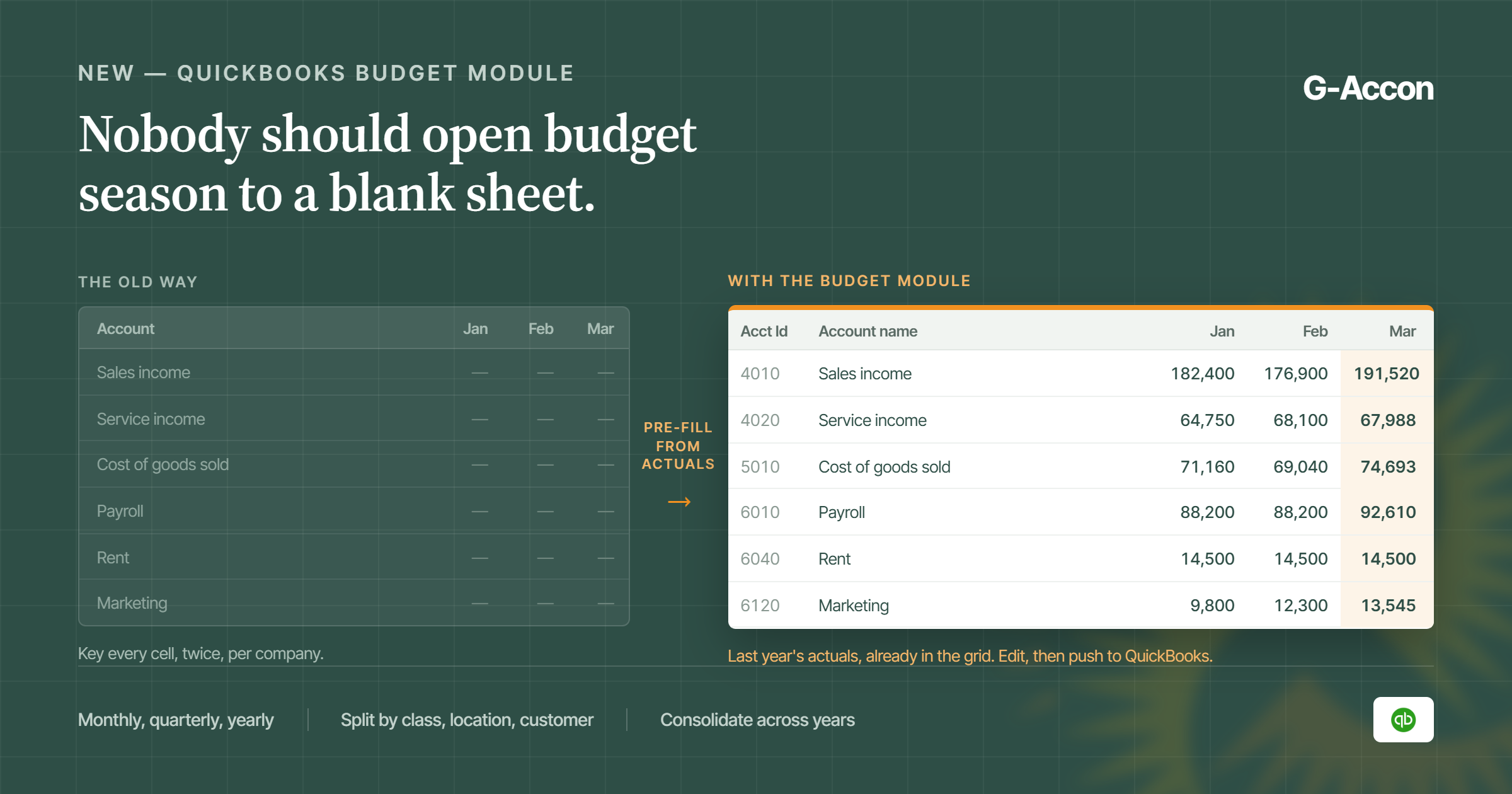
Budget vs actuals reporting only works if two things stay in sync: the budget you built and the actuals coming out of the books.
Once actuals are live, that comparison updates itself instead of someone having to refresh one side of the sheet and hope the other side hasn't drifted. Build the comparison once, and it keeps holding up period after period.
It's one of those reports that quietly breaks down under a manual process, too. The budget side barely changes, so nobody worries about it.
The actuals side is the one that goes stale, and usually nobody notices until a variance shows up that doesn't match what everyone already knows happened. A live connection just takes that failure point off the table.
Two-Way Sync
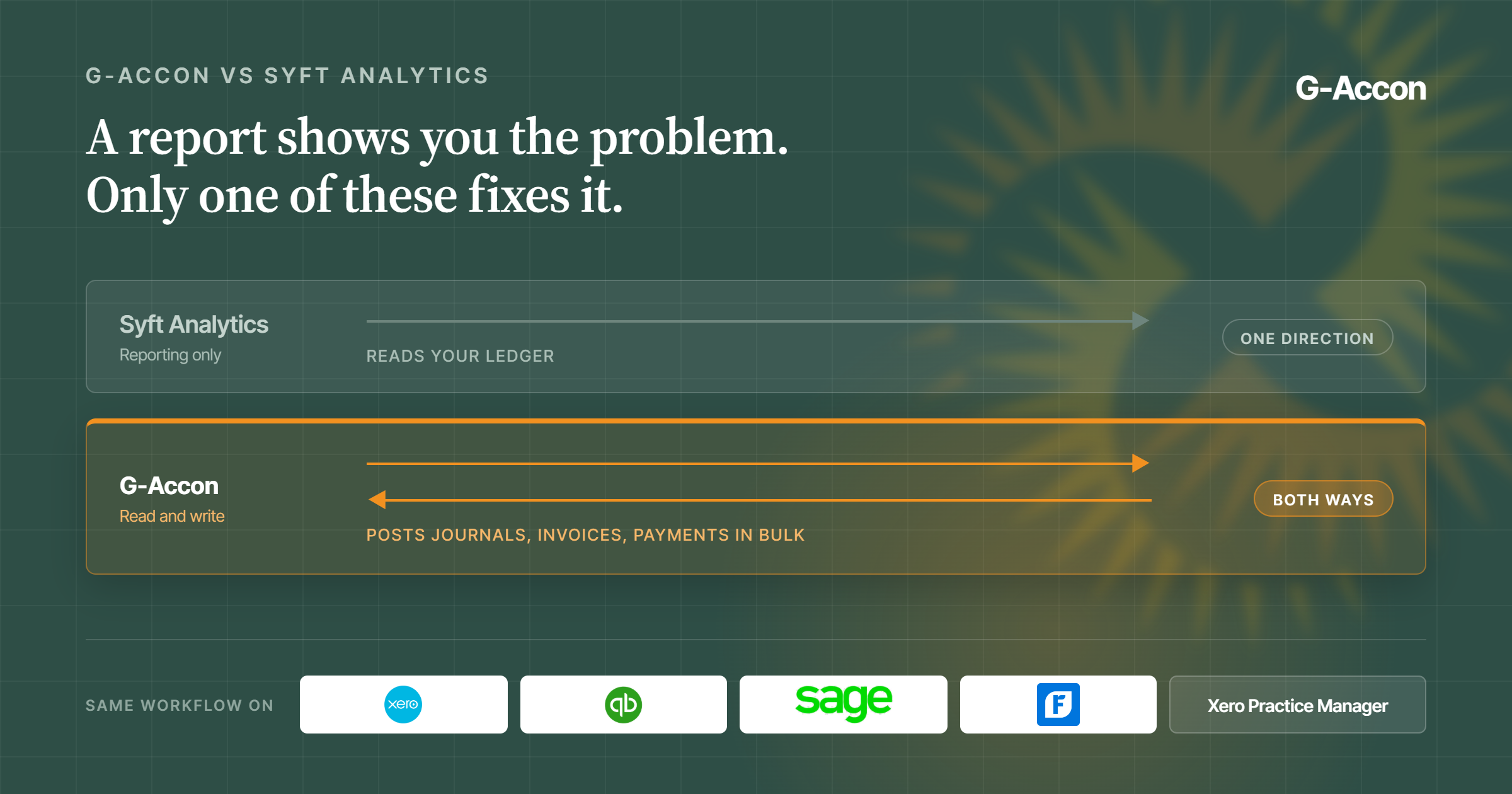
Everything so far moves in one direction, out of the accounting software and into Sheets. G-Accon also works the other way around. Build a journal entry or a budget line in a sheet, and you can push it back into QuickBooks, Xero, or Sage in bulk.
That matters a lot for firms that build budgets in spreadsheets in the first place, because spreadsheets are simply the easiest place to build them, and then need that work to actually land in the client's books instead of sitting in a sheet nobody else touches.
Without two-way sync, a budget in a sheet is basically just a reference document. Somebody still has to open the accounting platform and key it in themselves if it needs to live there too.
With two-way sync, the sheet stops being a copy of the work and turns into the place the work actually happens, with the accounting platform picking up the result on the other end.
Setting This Up Doesn't Require Code
None of this needs a developer, an IT ticket, or an API key you're stuck managing yourself. You authenticate your QuickBooks, Xero, Sage, or FreshBooks account inside G-Accon, pretty much the same way you'd log into any app with your existing credentials.
From there, you pick what data you want, accounts, transactions, specific reports, and where it should land in your sheet. You build the actual reporting and formulas the way you always have in Sheets. G-Accon's whole job is just making sure the raw numbers underneath stay current.
Honestly, the learning curve feels closer to setting up a new spreadsheet template than learning a whole new platform. If you already know your way around Google Sheets and your accounting software, you've already got most of what you need.
Most firms don't try to migrate their entire reporting suite on day one, and you shouldn't either. Get one report working for one client first. Confirm the numbers match what you'd expect, then extend the same setup to the balance sheet, the next client, and eventually the rest of your book. There's no reason to treat this as all-or-nothing.
Frequently Asked Questions
Can Google Sheets replace accounting software?
No, and that's not what this stack is trying to do. QuickBooks, Xero, Sage, or FreshBooks stays the system of record for your transactions and books. Google Sheets is where you report on and dig into that data. They're not competing for the same job.
Which accounting software works with Google Sheets?
Through G-Accon, QuickBooks Online, Xero, Sage, and FreshBooks all connect directly to Google Sheets. Each connection pulls live data on whatever schedule you set, and it works the same way no matter which platform your client happens to use.
Does this setup require coding?
No. You authenticate your accounting software account, choose what data to pull, and build your reporting templates in Sheets yourself. There's no script to write and no API you have to babysit.
Can you consolidate multiple companies in Google Sheets?
Yes. Multi-entity consolidation pulls data from more than one QuickBooks or Xero company into a single sheet, so firms managing several clients or entities get one consolidated view instead of piecing it together manually every period.
How does Google Sheets stay updated with live accounting data?
Through scheduled refresh. Once a connection's set up, G-Accon pulls updated data into the sheet automatically on whatever interval you pick, daily, weekly, or monthly, so the numbers stay current without anyone exporting or pasting anything in by hand. You set the schedule once when you build the connection, and it just keeps running from there.
Key Takeaways and Where to Go Next
The Google Sheets accounting automation stack turns your existing spreadsheets into a live reporting layer instead of a static one, and it doesn't ask you to give up the templates and formulas you've already spent years building. QuickBooks, Xero, Sage, and FreshBooks stay the source of truth, G-Accon keeps the data moving between them, and you keep working in the tool you already know.
If you want to go deeper on any piece of this, here's where to start:
- Connecting QuickBooks: G-Accon for QuickBooks
- Connecting Xero: G-Accon for Xero
- Connecting Sage: G-Accon for Sage
- Connecting FreshBooks: G-Accon for FreshBooks
- Automating your reports: G-Accon automation
- Building financial reports: financial reports
- Consolidating multiple entities: multi-entity consolidation
- Forecasting cash flow: cash flow forecasting