Multi-Entity Financial Consolidation is one of those tasks that sounds simple until you're actually doing it. Every month, someone on your team logs into multiple QuickBooks or Xero accounts, pulls the numbers, pastes everything into a master spreadsheet, and starts trying to make it all line up. Intercompany transactions need adjusting. Currencies need to be converted. And somewhere in the middle of it all, someone realizes the figures don't reconcile.
So you start over.
This is the reality for most accounting teams handling more than one entity, whether that's a franchise group, a holding company, a private equity-backed portfolio, or a firm managing multiple clients. The process technically works. But it eats up days, breaks easily, and gets worse every time you add an entity.
This article explains what multi-entity consolidation actually involves, where the process tends to break down, and how tools like G-Accon handle it automatically, straight from your accounting software into a consolidated Google Sheets report.
What Is Multi-Entity Financial Consolidation?
Multi-Entity Financial Consolidation is one of the most time-consuming processes in accounting, and the numbers back that up.
A 2024 QuickBooks survey found that the average business spends 25 hours a week on manual data entry and reconciling data across various applications. For teams managing multiple entities, that number compounds fast, because every additional entity means another set of accounts to pull, another chart to map, and another round of intercompany transactions to untangle.
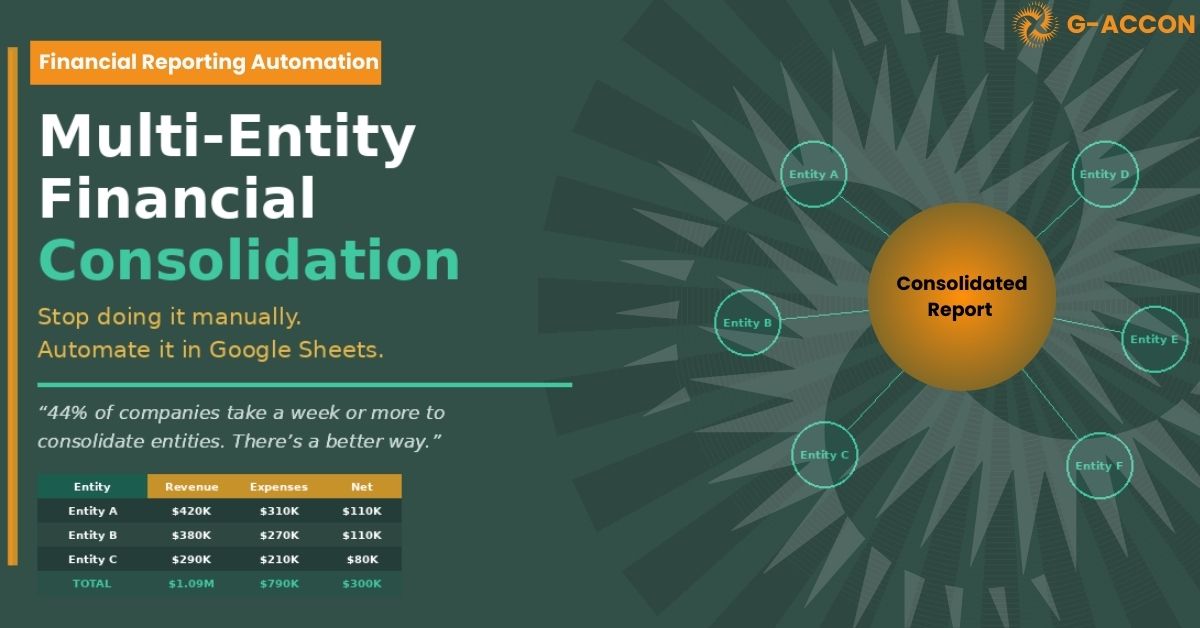
At its core, consolidation is the process of combining financial data from two or more legal entities into a single set of reports. Leadership, investors, and clients need one clear, unified view of performance, revenue, expenses, assets, liabilities, across the whole group. Simple in theory. In practice, it rarely is.
Here's what's actually involved:
- Chart of accounts alignment — Each entity often uses slightly different account names or codes that need mapping to a common structure before anything can roll up cleanly.
- Intercompany eliminations — Transactions between entities,* loans, shared services, internal sales, need to be stripped out so they don't inflate group totals.
- Currency conversion — When entities operate in different currencies, every balance needs to be translated at the right rate for the right period.
- Minority interest adjustments — If the parent doesn't own 100% of a subsidiary, ownership percentages have to be factored into the consolidated figures.
- Consistent reporting periods — All entities need to be pulled for the same period, which gets messy fast when close dates or fiscal years don't align.
Do all of this manually across three, five, or ten entities, and what should be a reporting exercise quickly becomes the job itself.
Where the Manual Process Breaks Down
Spreadsheet-based consolidation has been the default for decades. But it has some hard limits, and they tend to show up at the worst possible times.
| Version control chaos
When multiple people update different tabs or entity files, it's only a matter of time before someone works from an outdated version, and nobody notices until the numbers don't add up. |
Slow close cycles
Manual data pulls, VLOOKUP formulas, copy-paste errors, every step adds hours. For teams managing five or more entities, a monthly close that should take two days often stretches to a full week. |
| No live connection to source data
A spreadsheet is a snapshot. The moment you export it, it starts going stale. If actuals change in QuickBooks or Xero after you've pulled the data, your consolidated report won't reflect it. |
Doesn't scale with growth
Adding a new entity means rebuilding formulas, remapping accounts, and updating every summary calculation. Growing companies often just add more people instead of fixing the process. |
The irony is that teams with the most complex consolidation needs, the ones who most need fast, reliable reporting, are usually the ones most buried in producing it.
Calculate Your Consolidation Costs
Most finance teams don't track how many hours they spend on consolidation specifically; it's just baked into "month-end close." But when you add it up, the cost is usually much higher than expected. Use the calculator below to estimate what your current process is costing you.
How Much Is Manual Consolidation Costing You?
Adjust the sliders to match your team's situation
5 |
24 hrs |
$75/hr |
6 hrs |
|
Hours Saved / Month 18 hrs ~75% reduction |
Annual Staff Cost Savings $16,200 time reclaimed |
Close Cycle Reduction 2.3 days days saved per month |
With 5 entities and 30 hours on consolidation each month, automating with G-Accon could free up roughly 18 hours and save your team an estimated $16,200 per year — time your finance team can put toward analysis instead of data wrangling.
No commitment required. Free trial available.
How G-Accon Handles Multi-Entity Consolidation
G-Accon is built natively on Google Sheets, which means your consolidation happens inside a tool your team already uses, no new dashboards to learn, no data exports required, no middleware to maintain.
Here's how it works in practice:
Connect all your accounting accounts
Link every Xero or QuickBooks Online organization to G-Accon. You can manage multiple connections from a single Google Sheet, no separate logins or data exports needed.
Select your reporting currency
Choose the currency in which the consolidated report will be generated across all your entities, ideal for groups operating across multiple countries or currencies.
Select your reports
Pick the financial reports you need: Profit & Loss, Balance Sheet, Accounts Receivable/Payable, or Cash Flow. G-Accon pulls exactly what's relevant, nothing more.
Generate the consolidated report
G-Accon pulls data from all connected entities and combines it into a single consolidated report in Google Sheets, ready to share, format, or build on immediately.
Refresh on demand, or automatically
When actuals change in Xero or QuickBooks, a single click (or a scheduled sync) updates the consolidated view. No re-pulling, no re-pasting, no version conflicts.
What Sets G-Accon Apart for Multi-Entity Work
A lot of tools claim to handle consolidation; most either require you to leave Google Sheets entirely or treat it as an edge case rather than a core workflow. G-Accon is different in a few ways that matter for finance teams.
|
Works inside Google Sheets No new tools to learn. Your team stays in the environment they already know, with full flexibility for custom formatting, pivot tables, and sharing. |
Live sync from Xero & QuickBooks Data pulls directly from your accounting software via API, not a manual export. Every refresh reflects what's actually in the books. |
|
Supports mixed platforms Some entities on Xero, others on QuickBooks? G-Accon handles both in the same consolidation, no workarounds needed. |
Scales with your entity count Adding a new entity means adding a connection and a tab, not rebuilding the model. Whether you have 3 entities or 30, the process stays the same. |
Who This Is For
G-Accon's multi-entity consolidation is built for teams that need consolidated reporting regularly but don't have the budget or timeline for enterprise ERP customization. That typically means:
- Accounting firms managing financial reporting for multiple clients
- CFOs and controllers at holding companies or private equity-backed groups
- FP&A teams producing group-level reports for board or investor review
- Franchise operators consolidating performance across locations
- Nonprofits and associations with multiple funds or entities
If you're currently spending more than a few hours a month pulling data together manually, there's a good chance automation pays for itself quickly. The calculator above gives you a rough starting point.
Get Started
Stop rebuilding your consolidation model every month.
Let G-Accon pull the data, handle the eliminations, and keep your reports current, automatically.