What G-Accon is built to do
G-Accon links your Xero data to Google Sheets. So you can build your reports, dashboards, and consolidated statements right inside Sheets, then refresh them when you need new numbers. You do not have to export a file, copy rows, then paste them into a new spreadsheet every time.
That matters because manual copy-and-paste creates mistakes. And those mistakes are not rare. A study from Dartmouth’s Tuck School looked at 88 real operational spreadsheets and found that 94% had errors.
If your team already works in Google Workspace, this setup feels familiar. You keep reporting on where your team already shares files, leaves comments, and collaborates. You also keep one version of the truth, instead of five different files with small changes.
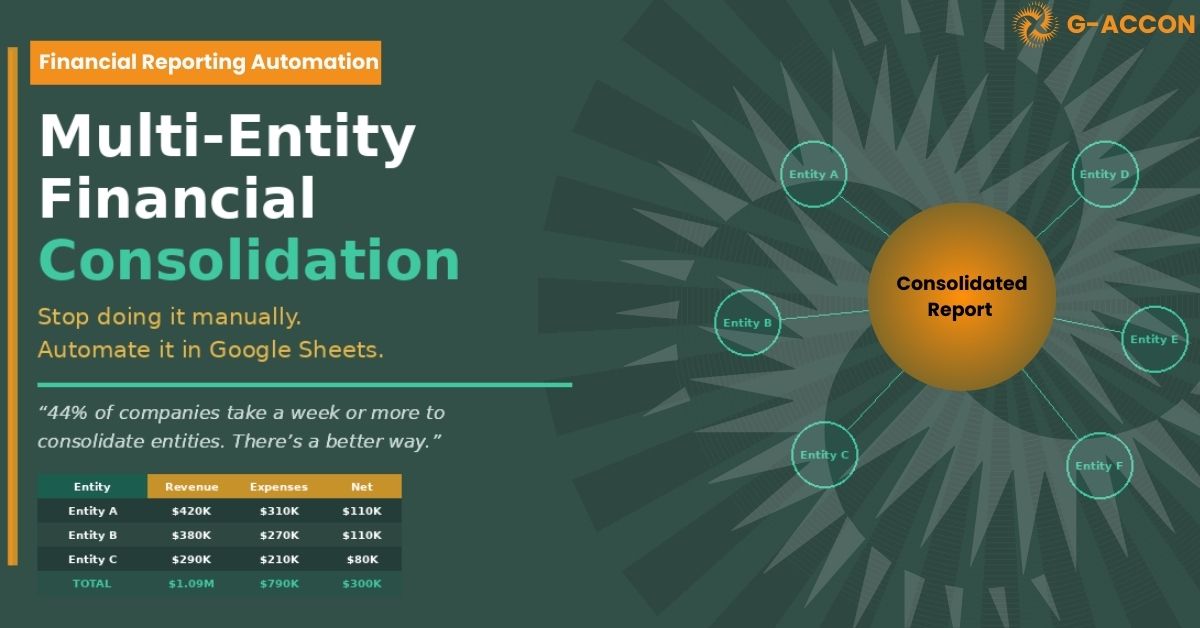
G-Accon also treats consolidation as a main use case. It supports multi-entity reporting in Sheets, so you can combine results from different companies, line them up to the same chart of accounts, and build one clean set of financial statements.
It also supports common consolidation needs like intercompany eliminations, which means removing sales and costs between your own entities so you do not double-count them. It supports multi-currency reporting too, which helps when your entities run in different currencies.
What Vena is built to do
Vena is a planning and reporting platform that keeps Excel at the center. The promise is simple. You keep the Excel interface people know, then add stronger controls, workflow, and centralized planning so budgeting and forecasting do not fall apart as the business grows.
Vena tends to fit teams that run company-wide budgeting cycles, need structured approvals, and want the comfort of Excel while adding governance around it.
The biggest difference G-Accon vs Vena
This is not a small detail. It shapes everything. Your spreadsheet home base affects collaboration, version control, report sharing, and even how quickly your team can adapt.
G-Accon is Google Sheets first
With G-Accon, Sheets is the workspace. You build reports in Sheets and refresh data from Xero; it can also support automated refresh and scheduled emailing of updated reports. If your finance team already shares files in Google Drive and edits reports together, this feels natural.
Vena is Excel first
With Vena, Excel is the interface. That is appealing if your finance team has years of Excel models, templates, and muscle memory. You do not ask them to switch to another spreadsheet tool.
So ask yourself this early: Do you want your reporting to live in Sheets or Excel?
That single choice often narrows the decision quickly.
Reporting and refresh: staying close to the ledger
A lot of finance teams say they want live reporting. What they usually mean is this: they want the report to update without exporting the trial balance again.
That is why it helps to look at how each tool handles data refresh and reporting.
G-Accon leans hard into live ledger reporting.
G-Accon focuses on connecting Xero to Sheets, automating reports, and refreshing the data flow. It also supports workflow automation and two-way sync, which can reduce manual work when updating data in bulk.
This helps when you:
- Send weekly or monthly reports and do not want manual refresh steps
- Run dashboards where leadership expects up-to-date KPIs
- Manage several entities and need the same report pack across all of them
Vena leans into planning cycles
Vena is stronger when the job is less about refreshing yesterday’s ledger numbers and more about getting inputs from many people, then tracking approvals and revisions. In practice, this shows up in budgeting season. You want a system that keeps everyone working from one controlled version, with clear steps and approvals, so you do not get stuck with many “final” files and confusion over which one is correct.
Consolidation: where G-Accon often feels more direct
If you handle multi-entity reporting, consolidation is not a nice-to-have; it is the work. G-Accon focuses heavily on consolidated reporting in Google Sheets and calls out areas like intercompany eliminations, multiple currencies, and chart-of-accounts mapping.
That is why many teams look at G-Accon when they need consolidated financials without buying a heavy enterprise consolidation suite. You stay in Sheets, you connect the entities, and you build one reporting view that updates when the ledger updates.
Vena can support complex reporting too, but its value story tends to sit closer to planning and performance management than ledger-first consolidation inside a spreadsheet.
Automation: the hidden time saver
Automation is not glamorous, but it is where you win back hours. If a task repeats every week or every month, automation can remove it from someone’s calendar. G-Accon supports scheduled refresh and emailed report distribution.
That means instead of someone refreshing the workbook on Monday morning, exporting PDFs, and sending them out, you can schedule that workflow. It also tends to create a cleaner reporting process. Less manual work usually means fewer errors.
Security and trust: what each vendor says publicly
Finance teams need more than “trust us.” You want clear signals that a vendor takes controls, data handling, and audits seriously. A good habit is to ask vendors for the current report scope and dates, then confirm it covers the systems you will actually use.
G-Accon security and compliance signals
G-Accon states it is SOC 2 certified and GDPR compliant; it also highlights partner recognition, such as Intuit Platinum App Partner status and being listed on Intuit’s
partner pages.
Vena security and compliance signals
Vena states it has completed SOC 1 and SOC 2 Type II audits performed by Deloitte LLP.
Setup and time to value
Time to value is where teams feel the difference. If you need improvement quickly, your best tool is the one that gets adopted and used without friction. G-Accon is available through app marketplaces and offers a free trial, which suggests many teams can start quickly, connect Xero, and test real reports without a long rollout.
Vena is often adopted as a broader planning platform.
That can be a good thing, but it can also mean more design work up front because you are setting up planning models, templates, and workflows. So think about your timeline:
- If you need better reporting and consolidation this month, a quicker start can matter
- If you are redesigning planning across departments, a broader platform can make sense
Pricing clarity between G-Accon vs Vena
Pricing shapes adoption, and people avoid tools that feel like a black box. G-Accon tends to publish clear plan tiers and encourages trial-first evaluation through the marketplace and app listings. Vena also provides pricing information, but many teams treat it like a guided purchase because planning scope can vary by company size and complexity.
G-Accon vs Vena: which one should you choose?
Here are the most common real world fit signals. Use these as a decision checklist, not as a strict rule. Your best choice depends on how your team already works.
Choose G-Accon if you want:
- Google Sheets as your finance reporting workspace
- Ledger-driven reporting that refreshes without manual exports
- Consolidation in a spreadsheet, including mapping, eliminations, and multi-currency support
- Automation for recurring reports, including scheduled refresh and report delivery
- Clear trust signals, including SOC 2 Type 1 and GDPR compliance. And if your auditors require SOC 1 or SOC 2 Type II, you can request the latest attestation details directly from G-Accon as part of vendor due diligence.
Choose Vena if you want:
- Excel is the center of planning and reporting. Your team has deep Excel workflows and wants added structure, governance, and planning control without leaving Excel.
- Audit-backed trust statements. Vena states it has completed SOC 1 and SOC 2 Type II audits performed by Deloitte LLP.
- Strong planning cycles. You run budgeting and forecasting across many budget owners and need tighter workflow control.
A simple way to decide G-Accon vs Vena
If you want a fast, practical test, do this:
- Pick one report pack you build every month.
- List the steps you repeat. Export, copy, clean, check, format, send.
- Ask which tool removes the most steps without forcing a workflow reset.
If your pack is mainly ledger-driven reporting and consolidation, G-Accon often lines up well because it is designed to connect Xero to Sheets and keep reporting close to the ledger.
If your pain is budgeting cycles and approvals across many teams, Vena may fit better because it is built for planning structure and governance.
That is the core trade. You are not just buying features. You are choosing the spreadsheet environment and the process your team will live in.
If you want, paste the “blog post like this one” you mentioned (or link it), and I will match the exact voice, section flow, and pacing while keeping the content accurate and brand-focused for G-Accon.