If you've been researching reporting tools for QuickBooks Online, you may have already landed on LiveFlow's comparison page targeting G-Accon. It's a confident piece, calling G-Accon a tool for beginners, flagging security concerns, and positioning LiveFlow as the only serious option for scaling firms.
The problem? Some of those claims are outdated. Others ignore the features that matter most to accounting firms managing multiple clients. And none of them mention the price difference, which, depending on your firm's size, could run into thousands of dollars a year.
This article breaks it down honestly. We'll address LiveFlow's specific claims, compare the platforms on the features that actually move the needle for accounting firms, and help you figure out which tool fits your practice in 2026.
Let's Start With What LiveFlow Got Wrong
LiveFlow published a comparison page targeting G-Accon that makes three notable claims:
|
"G-Accon is not SOC 2 compliant." This was true when the page was written in July 2024. It is no longer accurate. G-Accon achieved SOC 2 Type 2 attestation, verified by Sensiba LLP. The platform also holds GDPR attestation, something LiveFlow doesn't publicize. |
|
"G-Accon can only connect to one QuickBooks company at a time." G-Accon supports multiple entities. You can connect them and switch between them directly within the platform, no repeated logins required. |
|
"G-Accon is a basic tool for people starting their reporting journey." G-Accon serves 20,000+ businesses globally, holds a 4.7/5 on G2, and has earned 44 G2 badges including Leader status in Financial Analysis and recognition for Best Estimated ROI. That's not a beginner profile. |
Worth noting: LiveFlow's comparison page carries a 2024 date and hasn't been updated since. G-Accon has shipped meaningful product improvements in the intervening period. Basing a purchasing decision on year-old competitor content is risky.
The Price Gap Is Not Subtle
This is the single biggest factor that LiveFlow's comparison page sidesteps completely.
G-Accon's pricing starts at $60 per month and is published openly on its website. No sales call required. No custom quote process. You can sign up, start a 14-day free trial, and know exactly what you're paying before you commit.
LiveFlow's pricing is not public. Based on third-party research and user reports, it starts at roughly $500 per month, and that's before you factor in consolidation, which LiveFlow charges for separately.
|
Real G2 Reviewer on LiveFlow Consolidation Pricing "The biggest downside to LiveFlow is the price. It's not the cheapest option out there, and while I feel the software is worth it if you are charging appropriate fees to your clients for your services, what I don't like is how there are added fees for new features. Want to be able to use dashboard feature? You get one free then have to pay. Want to be able to do consolidates? Thats extra." ___Ryan E. |
Let that sink in. A firm managing five clients with multiple entities could be looking at $500 base plus $1,500 or more in consolidation add-ons, per month. That's $24,000+ annually, before any team seat costs.
G-Accon includes multi-entity consolidation across all plans. There's no separate tier, no add-on fee, no negotiation.
For most accounting firms, that difference alone settles the comparison.
Two-Way Sync: The Feature LiveFlow Doesn't Have
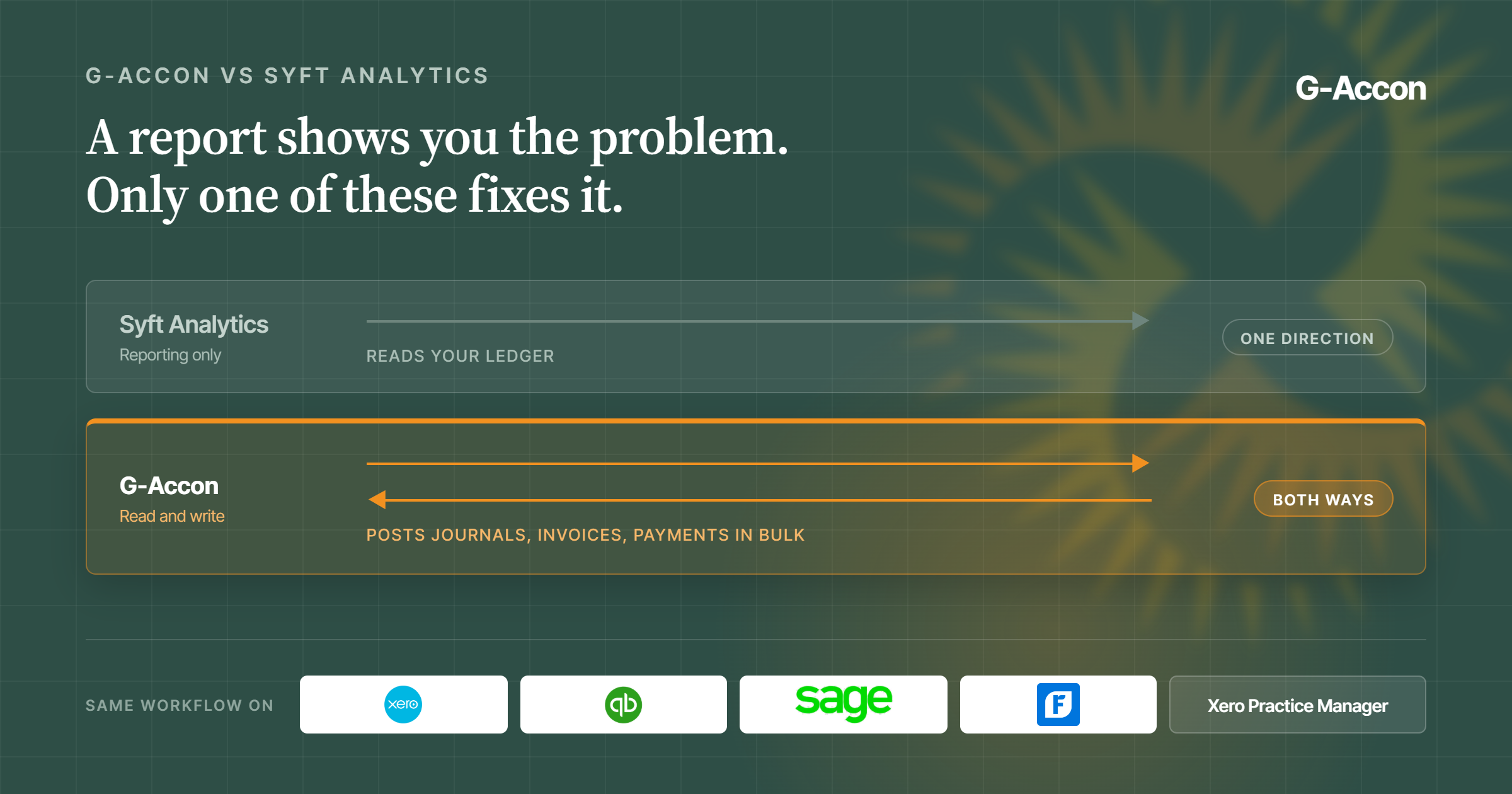
LiveFlow is a read-only platform. It pulls data from QuickBooks into Google Sheets. That's useful, but it's only half the equation.
G-Accon is bidirectional. It reads and writes. That means your team can:
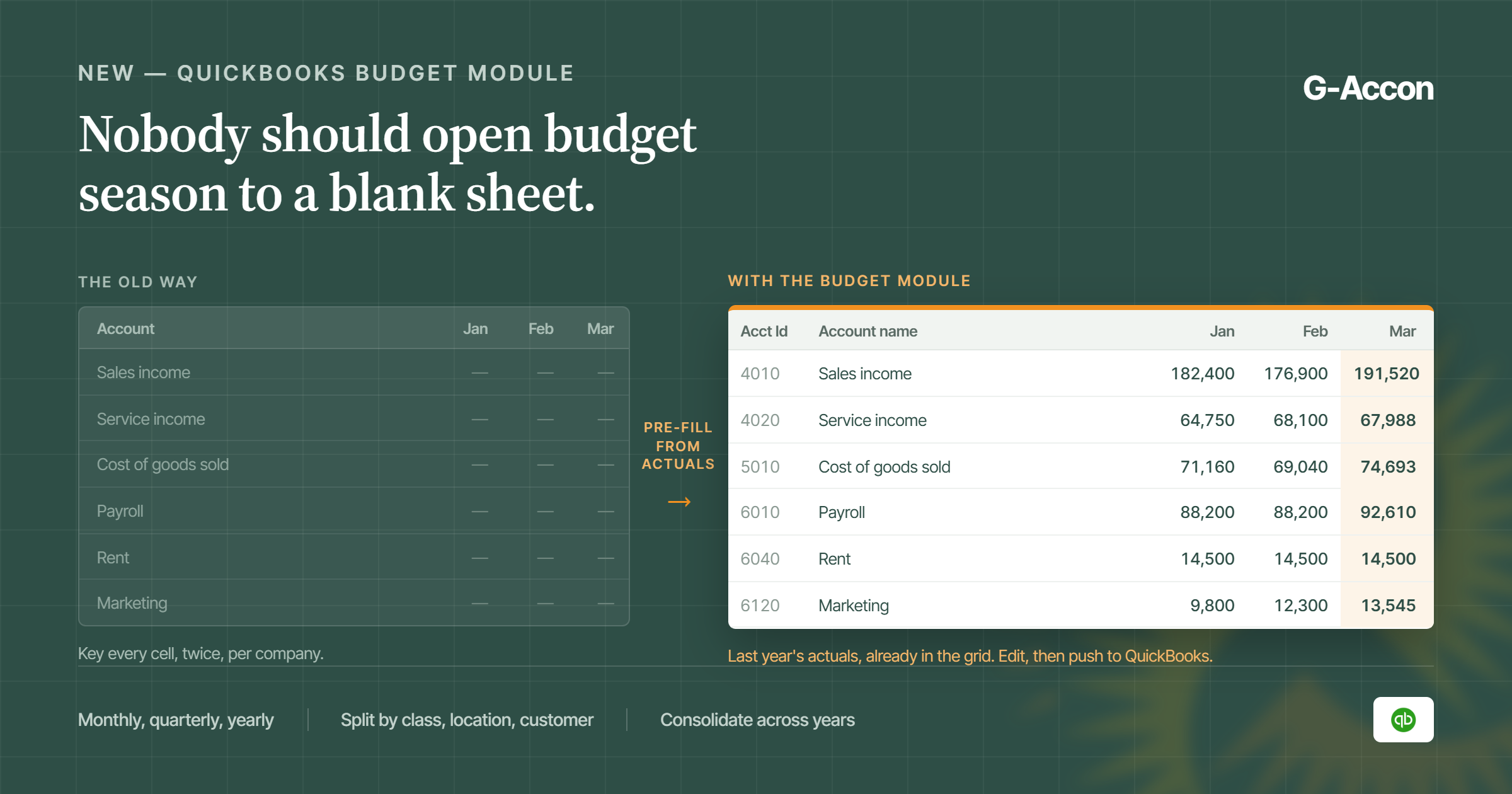
- Create invoices, bills, and journal entries in bulk directly from a Google Sheet
- Push customer record updates back into QuickBooks or Xero without logging into the accounting platform
- Correct batch transaction errors from inside Sheets, no toggling between tabs
- Upload journal entries at month-end without touching the accounting system's interface
For accounting firms doing month-end close at scale, this is not a minor convenience. It collapses the number of platforms your team touches on any given day. LiveFlow can show you what's in QuickBooks. G-Accon lets you act on it without leaving your spreadsheet.
If your workflow is purely about pulling reports for client review, read-only works fine. But if you're doing active bookkeeping, reconciliations, or data corrections across multiple client files, the write-back capability changes how much work you can realistically handle.
Xero Support Isn't Optional If You Work With Xero Clients
LiveFlow was built primarily around QuickBooks Online. Its Xero integration exists but has drawn consistent criticism from users who describe it as limited in practice. Multiple reviews flag functionality gaps that make Xero workflows unreliable.
|
G2 Reviewer on LiveFlow + Xero "While LiveFlow is an incredibly powerful tool, one area for improvement could be its integration with some third-party platforms outside of QuickBooks." |
G-Accon is different; it was built with Xero from the beginning and holds Xero's Global Practice App of the Year award. The integration isn't a bolt-on, it's a core part of the product.
G-Accon also connects to Sage and FreshBooks. LiveFlow does not. For accounting firms serving clients across different platforms, this matters. If a new client comes in on Sage, G-Accon handles it. With LiveFlow, you'd need a separate tool.
Multi-platform support isn't just a feature count. It's about whether one subscription covers your whole client roster, or whether you need to start stacking tools.
Multi-Entity Consolidation: Bundled vs Billed Separately
Both platforms handle multi-entity consolidation. The difference is what it costs.
With G-Accon, consolidation is part of every plan. You can combine financial data from multiple entities, run currency conversions across 170+ currencies, set up elimination entries for intercompany transactions, and deliver a consolidated P&L, all without upgrading your subscription.
With LiveFlow, consolidation is a premium feature. Based on user reports, it adds up with the number of clients on top of the base plan. The more clients you consolidate, the faster those costs compound.
For firms that do consolidation work regularly, holding companies, franchise groups, multi-location businesses, the G-Accon model is structurally more predictable. You know your costs upfront and they don't scale with the complexity of the engagement.
Native Google Sheets vs. a Platform That Works With Google Sheets
This distinction sounds semantic. It isn't. G-Accon is a Google Sheets add-on. It lives inside your spreadsheet, uses Google's infrastructure, and integrates naturally with the rest of your Google Workspace tools. Your reports are actual Sheets, shareable, collaborative, and editable with standard Google functionality.
LiveFlow is a standalone FP&A platform that connects to Google Sheets (and Excel). Your data flows into Sheets, but the configuration, workspace management, and team collaboration happen inside LiveFlow's own interface. You're working across two systems.
There's also a meaningful constraint that several LiveFlow reviewers flag: their templates, while polished, can be rigid. Customizing certain elements or adding formulas in the wrong places breaks the automation. G-Accon reports are built in native Sheets, you can add rows, formulas, notes, and conditional formatting without worrying about breaking anything, because you're just editing a spreadsheet.
G-Accon also has sticky annotations, notes you add to a report that survive data refreshes. If you add a memo explaining a variance in your cash flow statement, it stays put when you pull updated numbers. That's a small thing that makes a meaningful difference in client-facing reporting.
The Security Question, Now Answered
LiveFlow's comparison page makes security a centerpiece of its argument. At the time it was written, G-Accon had not yet completed SOC 2 compliance. That has changed.
G-Accon now holds SOC 2 Type 2 attestation, audited by Sensiba LLP, a recognized independent accounting and advisory firm. It also holds GDPR attestation. Both were completed after LiveFlow published its comparison.
LiveFlow holds SOC 2 Type 2 as well, so both platforms clear the baseline that most accounting firms require for client data handling. This is no longer a differentiator between them.
If you're evaluating either platform for a compliance-sensitive client environment, both pass the threshold. The better questions to ask are about data residency, user access controls, and refresh permissions, areas where G-Accon's read-only access mode for QuickBooks (it never modifies your accounting data without an explicit write command) provides an additional layer of control.
Quick Comparison: G-Accon vs LiveFlow at a Glance
| Feature | G-Accon | LiveFlow |
| Starting price | $60/month | $500+/month |
| Transparent pricing | Yes | Custom quote only |
| Multi-entity consolidation | Included in all plans | Charged separately |
| Two-way sync (write-back) | Yes | Read-only |
| QuickBooks Online | Yes | .Yes |
| Xero | Full integration | Limited |
| Sage | Yes | No |
| FreshBooks | Yes | No |
| Google Sheets native add-on | Yes | Separate platform |
| Excel support | Microsoft 365 integration coming soon | Yes |
| SOC 2 Type 2 attestation | Yes (Sensiba LLP) | Yes |
| GDPR attestation | Yes | Not confirmed |
| No-code automation | Yes | Yes |
| Sticky annotations on reports | Yes | No |
| Auto email reports (PDF/Excel) | Yes | No |
| Free trial | 14 days, no card | Demo call required |
Who Should Pick LiveFlow?
LiveFlow is a reasonable choice if:
- Your firm works exclusively with QuickBooks Online clients and has no near-term plans to support Xero, Sage, or FreshBooks
- You want Excel integration, G-Accon is Google Sheets only
- You have the budget and prefer a platform with a dedicated customer success team handling onboarding
You need AI-assisted financial analysis features (LiveFlow's FinanceIQ product) - Your consolidation volume is low enough that the per-client add-on cost stays manageable
LiveFlow is a well-built product with strong customer ratings. For QBO-only shops with deep pockets, it delivers a polished experience.
Who Should Pick G-Accon?
G-Accon makes more sense if:
- Your firm serves clients on a mix of platforms: QBO, Xero, Sage, or FreshBooks,and needs one tool to cover them all
- Pricing predictability matters: you want to know your monthly cost without booking a demo first
- You do active data work: uploading journal entries, correcting records, bulk-creating invoices, and need write-back capability
- Multi-entity consolidation is a regular part of your service offering, not an occasional add-on
- Your team lives in Google Workspace and wants reporting that integrates naturally rather than introducing another platform login
- You want to start immediately with a 14-day free trial and no credit card required
The Bottom Line
LiveFlow's comparison page positions G-Accon as a starter tool for small operations. The data doesn't back that up, and several of the specific claims on that page are no longer accurate.
The more useful frame is this: both tools automate financial reporting from accounting systems into spreadsheets. They differ significantly in price, in which accounting platforms they support reliably, and in whether they let you push data back.
For most accounting firms managing multiple clients across different platforms, G-Accon is the more flexible, more affordable, and frankly more complete option. It doesn't require you to negotiate a pricing call before you know if it works for your practice. And it doesn't charge you extra every time a new consolidation client walks through the door.
|
Ready to see G-Accon in action? Start a free 14-day trial, no credit card required. Install directly from the Google Workspace Marketplace. |