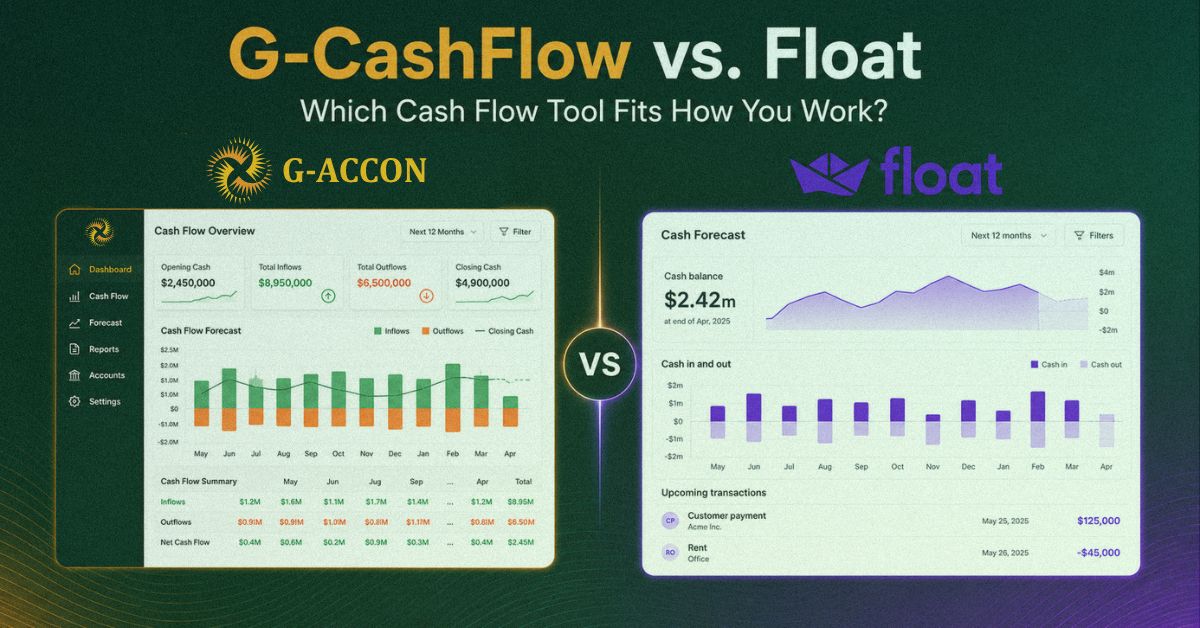
G-CashFlow vs. Float looks like a simple cash flow software comparison at first. Both tools help businesses forecast cash flow, but they are built for very different kinds of work.
Float helps you watch your cash. It connects to your accounting software, pulls in invoices and bills, and gives you a running view of where your bank balance is heading. G-CashFlow helps you plan your cash. You build a full financial model from your own assumptions, so you can see what the next few months or years could look like under different decisions.
That difference matters. Watching cash and planning cash are not the same job. Pick the wrong tool, and you may end up paying for features you barely use or forcing a simple dashboard to do serious forecasting work.
So, here is a clear breakdown of where each tool wins, where each one falls short, and which one actually fits the way your business works.
G-CashFlow vs. Float: Quick Comparison
Float's pricing shifts with plan and currency; confirm the current rate on their site before you commit.
Where G-CashFlow and Float Actually Differ
Strip away the feature lists, and the real split is this: one tool runs itself, the other one rewards you for getting your hands dirty.
Float is built for automation. Connect it to Xero or QuickBooks Online, and it reads your real invoices and bills and lays your projected bank balance out on a clean timeline. You can flip between daily, weekly, and monthly views, drag an invoice's payment date to when you actually expect the money, and the forecast updates without touching your books. It's the kind of thing you glance at on a Monday morning to know if you're fine this week.
G-CashFlow is built for depth. It doesn't just track cash, it builds a connected three-statement model. Your Profit & Loss, Balance Sheet, and Cash Flow are wired together, so a change in one flows through all three and nothing falls out of balance.
You feed it assumptions about revenue, costs, payment terms, and growth, and it projects all three statements out as far as five years. That's the difference between knowing your bank balance next Friday and knowing whether you can afford to hire two people and take a loan next spring.
Neither approach is better in the abstract. They answer different questions.
Where Float Wins
Let's not pretend otherwise. If all you want is to see your cash position without doing any work, Float is excellent at it. The automation is genuinely good.
You're not entering assumptions or maintaining a model; you connect your accounting software, and the forecast more or less builds itself. The visual timeline is easy to read in about five seconds, which is exactly what a busy owner wants. And it'll flag a cash shortfall before it sneaks up on you, which is the whole point of watching cash in the first place.
If you don't want to think about modeling and you just want a dashboard that tells you when to worry, that's Float's lane, and it owns it.
Where G-CashFlow Wins
The moment you need to plan rather than just watch, the gap opens up.
It's a true 3-way model.
Float forecasts cash. G-CashFlow forecasts cash, profit, and balance sheet position together. When a bank or an investor asks for projections, they're rarely asking for a cash timeline alone; they want to see the whole picture hang together. That's what a three-statement model gives you.
It looks further out.
Five years versus three. If you're modeling a growth plan or a multi-year loan, that extra runway matters.
You already know the interface.
It lives in Google Sheets. There's no separate app to learn, no new login to remember. You can click into any cell and see exactly how a number was built, which is the kind of transparency Float's polished dashboard doesn't give you.
It connects to more than Float does.
Through G-Accon, it pulls from Xero, QuickBooks, Sage, and FreshBooks. Float covers Xero, QuickBooks Online, and FreeAgent. If you or your clients run Sage, that's a hard stop for Float.
Your data stays in your Google account.
Not on a vendor's servers. For some businesses, that's a nice-to-have. For others handling sensitive numbers, it's the deciding factor.
G-CashFlow vs. Float: Honest Pros and Cons
No tool is all upside.
Float's limits: reviewers consistently knock it on two points: it's effectively a single-currency option, which is rough if you operate across borders, and its report customization is limited. The sync can also lag now and then. And because it's a cash tool, it doesn't give you the profit-and-balance-sheet picture a full model does.
G-CashFlow's catch: it's assumption-driven, not a hands-off bank feed. You pull in live Xero or QuickBooks data to ground your model, but you're still building a forecast, not watching one update itself. If what you want is a dashboard that runs with zero input, G-CashFlow asks more of you. The payoff is a far deeper forecast, but it's a payoff you have to work for a little.
G-CashFlow vs. Float: Which Cash Flow Tool Should You Choose?
It really does come down to one question: do you want to watch your cash or plan it?
Go with Float if you mainly want a low-effort, visual read on your near-term cash position, you're on Xero or QBO, you work in a single currency, and you'd rather not maintain a model.
Go with G-CashFlow if you need real three-statement projections for a loan, an investor, or a serious growth plan, you want to model multiple scenarios in depth, you're comfortable in a spreadsheet, or you run on Sage or FreshBooks, where Float can't follow.
Plenty of businesses could honestly use both, Float for the weekly glance, and G-CashFlow when it's time to plan something big. They're not really rivals so much as different instruments.
Both offer a free trial, so you don't have to bet blind. If you've got a loan, a raise, or a growth decision on the horizon, that's the case for building a real model, not just watching a balance.
Want to see your next five years instead of just next week? Start your free 14-day G-CashFlow trial, no credit card required, and build your first forecast in a spreadsheet you already know.