Upgrading FP&A in Google Sheets doesn't mean tearing out the model you've spent years building. Keep your tabs, your formulas, and your dashboards. The only thing that needs to change is how the numbers get in front of you.
That's what G-Accon does: it pulls QuickBooks and Xero data straight into the Google Sheets you already use, so reporting and automation just run in the background. When you're ready to look forward instead of back, G-CashFlow, a separate product, picks up the forecasting and what-if work.
TL;DR
Your spreadsheet isn't the problem, so if you're upgrading FP&A in Google Sheets, there's no need to throw it out. G-Accon pulls live QuickBooks, Xero, or FreshBooks data into the Google Sheets model you already use. It automates the refreshes too, so you stop copying and pasting numbers every month. Once you're ready to forecast or run what-if scenarios, that job belongs to a separate tool called G-CashFlow, built just for that.
What to Keep When You Upgrade FP&A in Google Sheets
Maybe your firm's spent years building out reporting or planning in Google Sheets. That work counts for something. The formulas, the tabs, the client-specific logic, and the dashboards your team already knows how to read don't have to go away. A clunky process around them isn't a reason to rebuild the whole thing.
Most of the pain in a spreadsheet-based FP&A setup doesn't come from the spreadsheet itself. It comes from how the numbers get into it. Someone exports a report from QuickBooks or Xero, cleans it up by hand, and pastes it into the right tab.
Then they do it again the next month, and the month after that. That's a data problem, not a modeling problem. And a data problem doesn't need a new platform to fix it.
So think about what's actually slowing your team down. If it's the model itself, that's one conversation. But if it's the hour someone loses every week pulling numbers and reformatting them, that's a much smaller fix. It's also the one this article walks through.
Picture the kind of setup a lot of firms already run. There's a raw data tab that gets refreshed by hand, formulas that pull from it into a summary tab, and a dashboard built on top for the client or the partner meeting. That structure works fine.
The weak link is almost always the raw data tab, since it depends on someone remembering to update it. Fix that one link, and the rest of the model just keeps doing what it already does well.
Add Live Accounting Data and Reporting Automation with G-Accon
This is where core G-Accon comes in. It sits between your accounting platform and Google Sheets, so the data stays fresh and the manual export step goes away for good. Setup happens once, in the sheet you already have, and after that the connection just runs quietly in the background.
Connect QuickBooks or Xero data
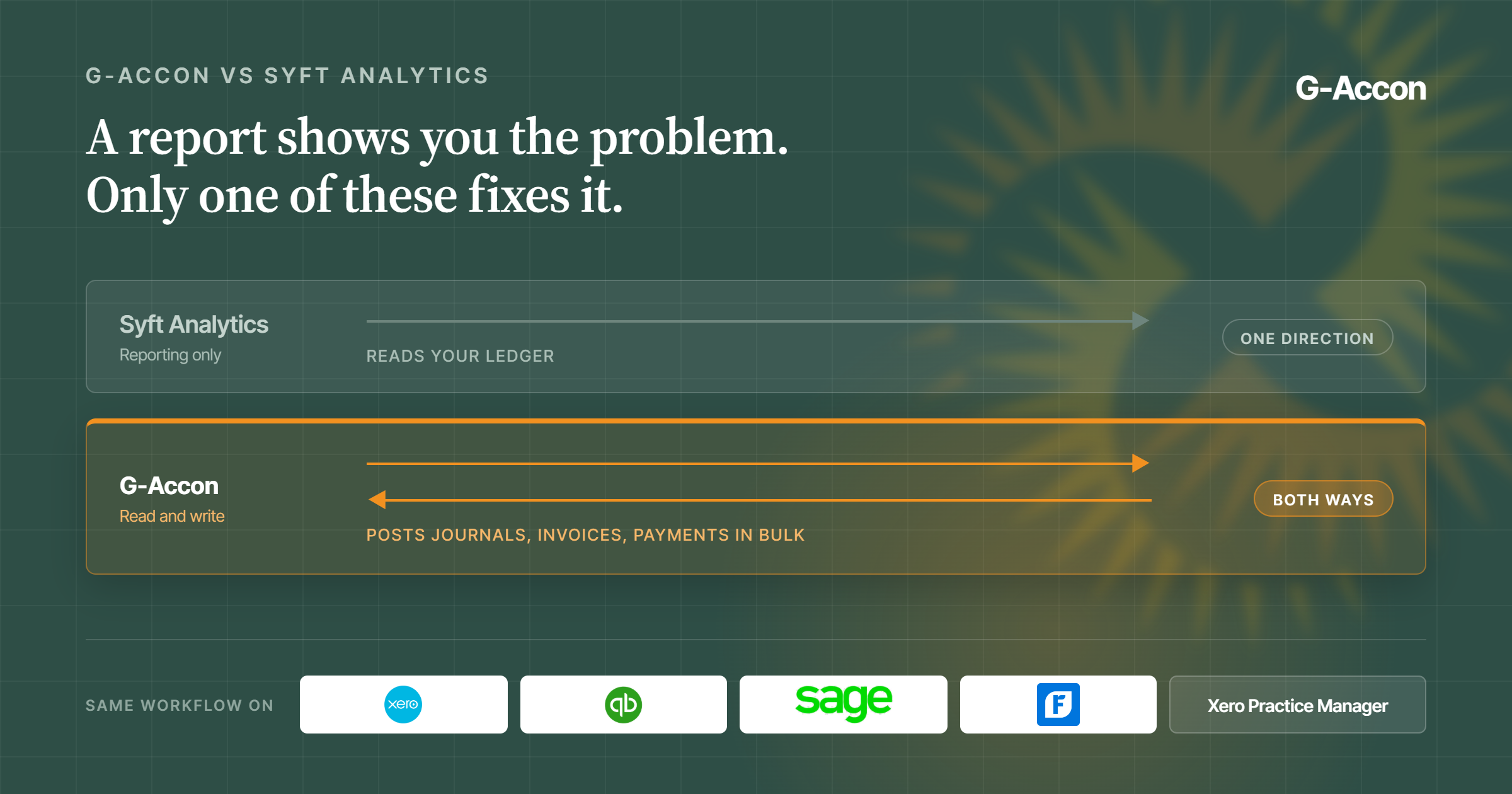
G-Accon connects directly through QuickBooks integration and G-Accon for Xero. It pulls transactions, accounts, and reports straight into the sheet you already work in. It's a two-way connection too, so you can create or bulk-edit invoices, bank transactions, and contacts right from Sheets.
Then you push them back to your accounting platform without switching tabs. If your firm runs on FreshBooks instead, it connects the same way.
You don't need a specific plan tier just to make this work. G-Accon runs alongside whatever QuickBooks Online or Xero subscription you already pay for, so there's no upgrade to negotiate first.
It's also a Platinum Intuit Partner and Premium Xero Partner. On top of that, it holds SOC 2 Type II certification, which matters once a client asks how their financial data is being protected.
Automate refreshes, reporting, and recurring workflows
Once the connection is live, you can schedule automation and scheduled delivery hourly, daily, weekly, or monthly. Reports then update on their own instead of waiting on someone to remember.
You can set email alerts for when a refresh runs, and send finished reports out as PDF or Excel files to partners or clients on a set schedule. If you manage more than one entity, G-Accon can also consolidate data from multiple QuickBooks or Xero companies into a single report. That way, you're not stitching it together by hand either.
Keep formulas, templates, dashboards, and client-specific logic in Sheets
None of this touches the model itself. Your formulas stay exactly as you wrote them. Your dashboards keep the layout your team already knows. Any client-specific logic you built in over the years stays right where you left it.
G-Accon just keeps the numbers behind all of it current, so the work you already did keeps paying off instead of slowly going stale.
Where Forecasting and Scenario Planning Fit
Reporting tells you what already happened. At some point, though, you'll want to know what's coming next. That might mean whether cash will hold up through a slow quarter, or what happens if a client pays late. That's a different job from reporting, and it's where G-CashFlow takes over.
Use G-CashFlow for three-way forecasting
G-CashFlow is a newer addition to the G-Accon lineup, and it's built to do one job well: pull your actuals from QuickBooks or Xero and turn them into a three-way forecast that ties your profit and loss, balance sheet, and cash flow together.
That way, you're looking at where the business is actually headed, not just where it's been. It's a separate product from core G-Accon, built specifically for forecasting rather than reporting, so it doesn't get bundled in with the data and automation layer described above.
One thing worth knowing: forecasts are currently built one entity at a time, so if you're forecasting for several clients, you'll set each one up on its own.
Build and adjust what-if scenarios in Google Sheets
Once forecasting's set up, you can test assumptions right inside Sheets. Say you're planning to hire someone. You can drop their salary into a projected worksheet and watch it flow straight through to the cash flow and P&L.
Or you can take last year's actuals and bump revenue up by a percentage to see what a stronger quarter would look like, then build a separate "worst case" version next to it where collections slow down instead.
You can keep as many of these scenarios side by side as you want: basic, worst case, best case, whatever fits how your firm thinks about risk. It all lives in the same spreadsheet your team already knows, so there's no new interface to learn just to ask "what if."
How Core G-Accon and G-CashFlow Fit Together
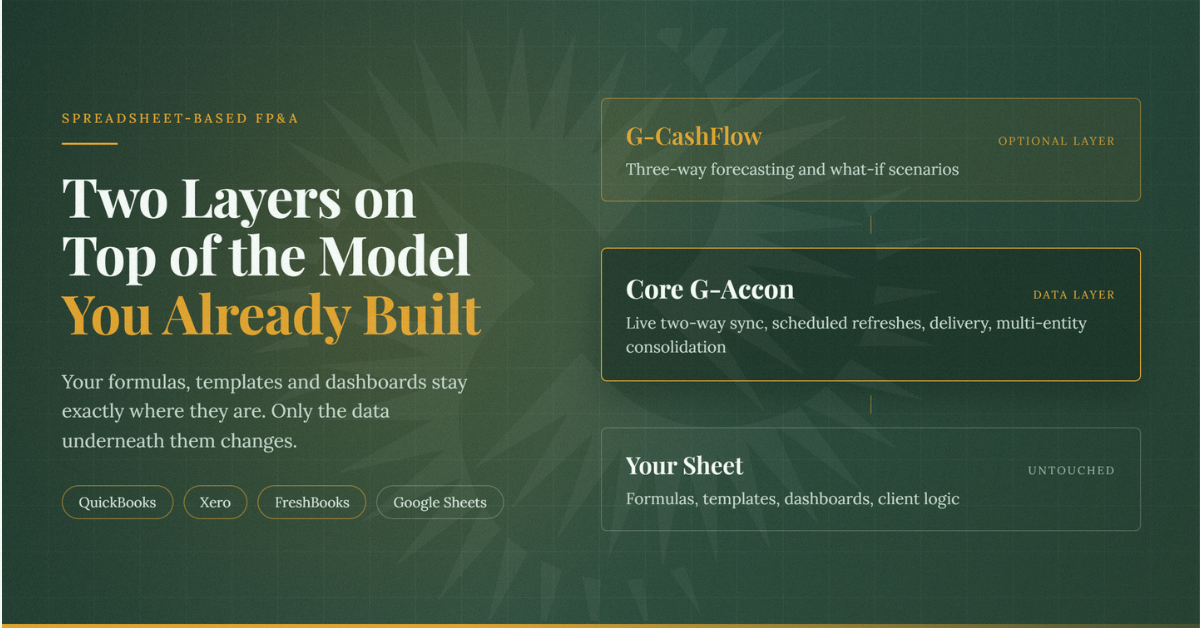
It helps to think of these as two separate layers stacked on top of your existing model, rather than one product trying to do everything at once.
Interactive task breakdown
Tap any task to see what stays in Google Sheets and which product handles it. This version uses native WordPress-friendly HTML and does not rely on JavaScript.
Formulas, templates, and dashboards
You ▾
Pulling live QuickBooks, Xero, or FreshBooks data
Core G-Accon ▾
Writing changes back to your accounting platform
Core G-Accon ▾
Scheduling refreshes and report delivery
Core G-Accon ▾
Consolidating multiple entities
Core G-Accon ▾
Three-way forecasting
G-CashFlow ▾
What-if scenario testing
G-CashFlow ▾
Core G-Accon isn't trying to be your FP&A system, and it doesn't do three-way forecasting or scenario modeling on its own. It's the layer that keeps your existing model fed with accurate, current numbers.
G-CashFlow picks up from there once you need to look forward instead of back, and you can add it whenever that need actually shows up, not before.
You don't have to migrate anything to bring it in either. It connects to the same QuickBooks or Xero data and lives in the same spreadsheet environment, so there's nothing new to set up from scratch.
When This Spreadsheet-First Approach Fits, and When a Dedicated FP&A Platform May Fit Better
This spreadsheet-first way of upgrading FP&A in Google Sheets works well if your team already has a spreadsheet model that does what you need. It also fits when the real complaint is stale or manually-entered data, not the model itself.
That includes firms managing a handful of entities that want consolidated reporting without learning a brand new system from scratch. If that sounds like your setup, the fix is smaller than it might feel right now.
It fits less well once your reporting and planning needs outgrow what a spreadsheet can reasonably hold, even an automated one. Maybe you're consolidating dozens of entities in real time.
Maybe you're running budget cycles across several departments with built-in approval workflows. Or maybe you need planning features well beyond forecasting and scenario testing.
In any of those cases, a dedicated FP&A platform may be worth the switch. There's no shame in outgrowing a spreadsheet. It just means your firm has gotten bigger than the tool, and that's a good problem to have.
Do you Really Need a Dedicated FP&A Platform
The honest way to check which side you're on is to ask what would actually change if the data refreshed itself tomorrow. If the answer is that your reporting gets faster and your team gets an hour back every week, this is the right move.
If the answer involves five other systems, a dozen approval steps, or planning cycles no spreadsheet was ever going to hold anyway, that's a sign the conversation is bigger than a data layer.
It's also worth knowing what else is out there before you commit to any path. QuickBooks' own Spreadsheet Sync feature does something similar on paper.
But it only works inside Excel, not Google Sheets, and it's limited to QuickBooks Online Advanced. If your team is committed to Sheets, that rules it out right away. For a fuller breakdown of how the two compare, see this comparison rather than repeating the whole thing here.
FAQ
Can I keep my existing Google Sheets models when I connect G-Accon?
Yes. G-Accon connects data into the sheet you already have, so there's no rebuild involved. Your formulas, formatting, and layout stay exactly as they are, and you decide where the new data lands.
What is the difference between core G-Accon and G-CashFlow?
Core G-Accon handles accounting data. It connects to QuickBooks, Xero, Sage, or FreshBooks, syncs it both ways, automates refreshes, and consolidates multiple entities. G-CashFlow is a separate product built for three-way forecasting and what-if scenario planning instead, not for reporting on data you already have.
Does G-Accon work with Xero as well as QuickBooks?
Yes, and with FreshBooks and Sage too. The connection works the same way no matter which accounting platform your firm or client uses, so switching between them doesn't mean learning a new setup.
When should I use G-CashFlow for forecasting or scenario planning?
Once historical reporting stops being enough, and you need to see what's ahead, like cash runway, the impact of a new hire's salary, or what happens if a client starts paying late, G-CashFlow is built for exactly that. Core G-Accon can get your data current, but the forecasting and what-if modeling itself lives in G-CashFlow.