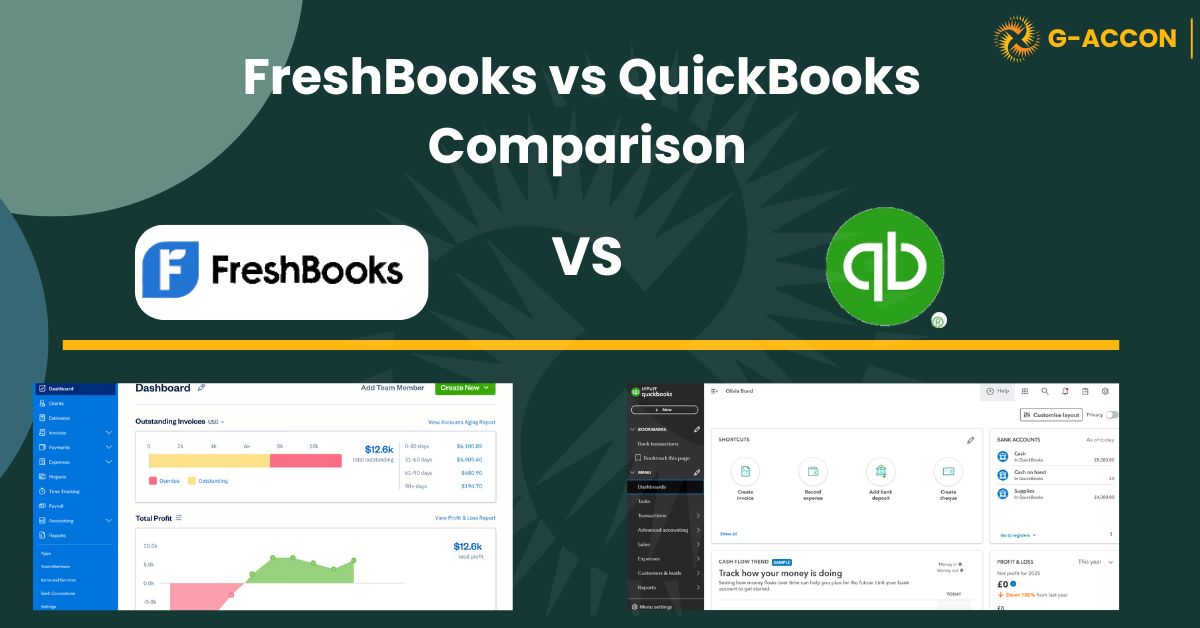
FreshBooks is the better fit for freelancers and service businesses that bill by time and project. QuickBooks Online is the stronger choice for product-based businesses, growing teams, and accountants managing multiple clients.
For small business owners, FreshBooks vs QuickBooks Online often comes down to one question: do you bill for time and projects, or do you sell products and need payroll? For accountants, FreshBooks vs QuickBooks for accountants is a simpler call.
QuickBooks dominates most existing firm portfolios, and its accountant-specific tooling has no real equivalent in FreshBooks. The difference comes down to depth.
FreshBooks keeps invoicing and time tracking simple. QuickBooks adds inventory, payroll, and the reporting tools that growing teams and accounting firms rely on.
Feature Comparison: FreshBooks vs QuickBooks Online
The table below compares both platforms across the features accountants and small business owners ask about most. Pricing is covered separately in the next section.
| Feature | QuickBooks Online | FreshBooks |
|---|---|---|
| Best for | Product-based businesses, growing teams, accountants managing multiple clients | Freelancers, consultants, and service businesses billing by time and project |
| Invoicing | Robust, customisable, batch sending, recurring invoices, more templates | Simple, polished, client-friendly; logos, thank-you notes, deposits, late fees, retainers |
| Time tracking | Add-on only (QuickBooks Time); not included in base plans | Built-in timer on all plans; core part of the billing workflow |
| Inventory management | Yes, built in on Plus and above | No |
| Payroll | QuickBooks Payroll add-on; native integration with employees and contractors | Gusto integration only; no native payroll |
| Reporting | Advanced: tax, cash flow, P&L, class tracking, multi-entity capable | Basic and clear; strong for project profitability, limited for complex entities |
| Accountant tools | QuickBooks Accountant edition, class tracking, multi-client access; dominant in existing firm portfolios | Accountant access available; fewer firm-level tools; less common across existing client portfolios |
| Integrations | Large ecosystem: banks, payment processors, CRMs, e-commerce, and accountant-facing tools | Smaller ecosystem focused on invoicing, payments, and time tracking |
| Multi-currency | Yes, on Essentials and above | Yes, on all paid plans |
| Client limits | Unlimited on all plans | Capped by plan (5 on Lite, 50 on Plus, 500 on Premium) |
| Mobile app | Invoices, expenses, reports, and reconciliation on iOS and Android | Invoices, expenses, and time tracking on iOS and Android |
| G-Accon integration | Yes — full two-way sync with Google Sheets | Yes — live data pull into Google Sheets |
Verify current feature availability at quickbooks.intuit.com and freshbooks.com/pricing before making a recommendation.
Pricing Comparison: FreshBooks vs QuickBooks Online
FreshBooks and QuickBooks use different pricing structures. FreshBooks tiers by client volume. QuickBooks tiers by features and user seats. Both offer annual billing at a discount to the monthly rate. The right choice depends less on headline price and more on which features the business needs at each tier.
FreshBooks Pricing
| Plan | Client limit | Key inclusions |
|---|---|---|
| Lite | Up to 5 | Invoicing, expense tracking, time tracking, estimates |
| Plus | Up to 50 | Adds retainers, late fees, and recurring billing |
| Premium | Up to 500 | Adds email signatures and business health reports |
The client cap on FreshBooks Lite and Plus is the most common friction point. A freelancer just starting out fits comfortably on Lite. A growing service business that bills 60 or 70 active clients will need Premium. For accountants recommending FreshBooks to a client, confirm the expected client volume before committing to a tier.
QuickBooks Online Pricing
| Plan | Users | Key inclusions |
|---|---|---|
| Simple Start | 1 | Invoicing, payments, expense tracking, basic reports |
| Essentials | 3 | Adds bill management and multi-currency |
| Plus | 5 | Adds project tracking, inventory management, and class tracking |
| Advanced | 25 | Automation, role-based access, batch invoicing, and dedicated account manager |
QuickBooks Simple Start covers the basics for a solo operator, but most small businesses end up on Plus or Essentials once they need bills, multiple users, or inventory.
The jump from Essentials to Plus is where inventory management and class tracking unlock, which are two features that matter significantly to product-based businesses and accountants doing job costing.
QuickBooks Online: The Default for Accountants and Growing Teams
When it comes to FreshBooks vs QuickBooks for accountants, QuickBooks Online is the dominant platform across most accounting firm portfolios. If you are recommending a tool to a client who may need payroll, inventory, or multi-entity reporting as they grow, QuickBooks gives you room to expand without switching platforms later.
The accountant-specific tooling is a real differentiator. The QuickBooks Accountant edition gives firms multi-client access, class tracking, and the ability to work directly inside a client's books. For most practices, a large share of existing clients will already be on QuickBooks Online, which reduces onboarding friction when a new client comes onto the same platform.
Reporting is also a clear strength. QuickBooks Online produces detailed profit and loss statements, cash flow reports, balance sheets, and tax summaries that go well beyond what FreshBooks can generate. For clients who need to produce reports for lenders, investors, or board members, QuickBooks is the more credible tool to put in front of them.
Payment processing is built in via QuickBooks Payments. Most card transactions run at approximately 2.9% plus a fixed amount per transaction, which is competitive with standalone payment processors. ACH bank transfers are available at a lower rate, which matters for businesses processing large invoice volumes.
The one genuine weakness of QuickBooks Online for some users is setup time. Getting the chart of accounts right, connecting payroll, and configuring classes and locations takes longer than FreshBooks. For a small service business that just needs to send invoices today, that overhead can feel disproportionate to the immediate need. It pays off at scale. It is a slower start.
FreshBooks: Built for Service Work and Small Business Billing
For small business owners asking FreshBooks vs QuickBooks for small business, FreshBooks is the stronger recommendation when the client primarily bills by time, runs retainer arrangements, or manages project-based work.
The built-in timer, client-facing invoice design, and simple retainer workflow are features FreshBooks handles natively that QuickBooks only covers with add-ons.
The invoicing experience in FreshBooks is genuinely better for client-facing businesses. You can add your logo, a personalised thank-you note, and a deposit request to an invoice in minutes. Clients receive a clean, professional document that does not look like it came from accounting software. For a consultant or creative agency, that polish matters.
Time tracking is the other area where FreshBooks has a meaningful edge. The built-in timer lets you log hours directly against a project or client, and those hours roll automatically into an invoice.
There is no add-on to configure, no third-party integration to maintain. You track time, you bill time. QuickBooks requires QuickBooks Time as a separate subscription to replicate the same workflow.
Expense tracking in FreshBooks covers the basics well. You can photograph receipts, connect a bank account or credit card, and categorise expenses for reporting. For a freelancer or small team, this covers the day-to-day without complexity. For a business with multiple cost centres, inventory, or project-level expense allocation, it falls short of what QuickBooks provides.
Where FreshBooks falls short is depth. It does not support inventory management, its reporting is basic compared to QuickBooks, and the client limits on lower tiers can become a problem if a business grows quickly.
For an accountant managing complex multi-entity clients, FreshBooks is not the right tool. For a 10-person consulting firm billing retainer clients each month, it is probably exactly right.
How to Choose: FreshBooks vs QuickBooks
The right recommendation depends on what the business actually does today, and what it is likely to need in the next one to two years. A freelancer who plans to stay solo is a different case from a service firm that expects to hire. A product-based business is a different case from either.
Using Either Platform with Google Sheets
G-Accon integrates with both FreshBooks and QuickBooks Online, pulling live accounting data into Google Sheets without manual exports.
Once connected, you can schedule auto-refresh daily, weekly, or monthly, and share a single sheet with your client or team instead of sending PDF reports that go stale the moment you send them.
For accountants managing multiple clients on either platform, the practical benefit is consolidation. Rather than logging into each client's account to pull a report, G-Accon brings the data into a connected sheet that refreshes on a schedule.
You review the numbers in one place, flag anything that needs attention, and move on. The manual export step is gone.
G-Accon pulls billable hours, unpaid invoices, and project totals into a live Google Sheet. No exporting, no formatting. The numbers update on a schedule you set.
G-Accon connects inventory, sales, and expense data to a shared dashboard. Staff see live stock and cash flow without needing QuickBooks access themselves.
See how the FreshBooks Google Sheets integration works, or check the QuickBooks Online Google Sheets integration if that is the platform your clients use.
Frequently Asked Questions
Connect Either Platform to Google Sheets
G-Accon pulls live data from FreshBooks and QuickBooks Online into Google Sheets. Automated reports, scheduled refresh, no manual exports. Check G-Accon pricing to find the plan that fits your firm.