Intuit Connect 2026 ran from October 26 to 28, and AI agents came up in nearly every session. The pitch was that these agents will soon take over much of the routine work inside accounting firms.
Stage demos are impressive, but most of what Intuit showed isn't something you can switch on for a client this month. That's why it's worth separating what's available today from what's still on its way, especially before you lock in your 2027 plans.
TL;DR
Most of the AI agents Intuit showed are still in pilot or coming soon, which means many firms won't have access yet. The core Intuit Accountant Suite is available now, while Playbooks, cross-client insights, and a basic Books Close tool are in beta. Keep an eye on the January 2027 changes, make sure a person approves every AI action, and keep your client reporting in a layer your firm controls.
The short version
Intuit is building AI into how firms close their books, run their procedures, and write advice. However, most of those features aren't open to everyone yet. If you can, test them on real client work, but keep your review steps and reporting setup flexible while the rollout continues.
What Intuit actually announced
At Intuit Connect 2026, Intuit showed agents for closing books, building firm workflows, and drafting advisory packages. It also added tools designed to help firms run the same way for every client.
In his November 4 remarks, CEO Sasan Goodarzi said some of this is already live, and he expects the rest to arrive within three to six months. Each new feature now carries one of three labels.
A pilot means a small group of firms is testing it, beta means early users can try it, and GA, or generally available, means anyone can use it. Because those labels tell you more than the keynote did, this article uses them throughout.
Accountant Suite, Playbooks and cross-client insights
Intuit launched Accountant Suite in October 2025 as its new firm hub, and it takes over from QuickBooks Online Accountant, which retires on December 31, 2026. The core version is free. The paid Accelerate tier adds Playbooks, which turn your onboarding steps into workflows your team can repeat for each client.
You can upload existing procedures and have AI draft a Playbook from them, but someone on your team still needs to approve it before it's used. Accelerate also includes cross-client insights, which scan your whole client list for trends and problems that deserve a call.
According to Intuit's fall 2026 release notes, both features are still in beta, and Accelerate remains free only until January 2027.
Agent Studio, advisory demos and Enterprise Suite
Intuit's release notes and its October 27 press release give a clear picture of where each feature stood in early November.
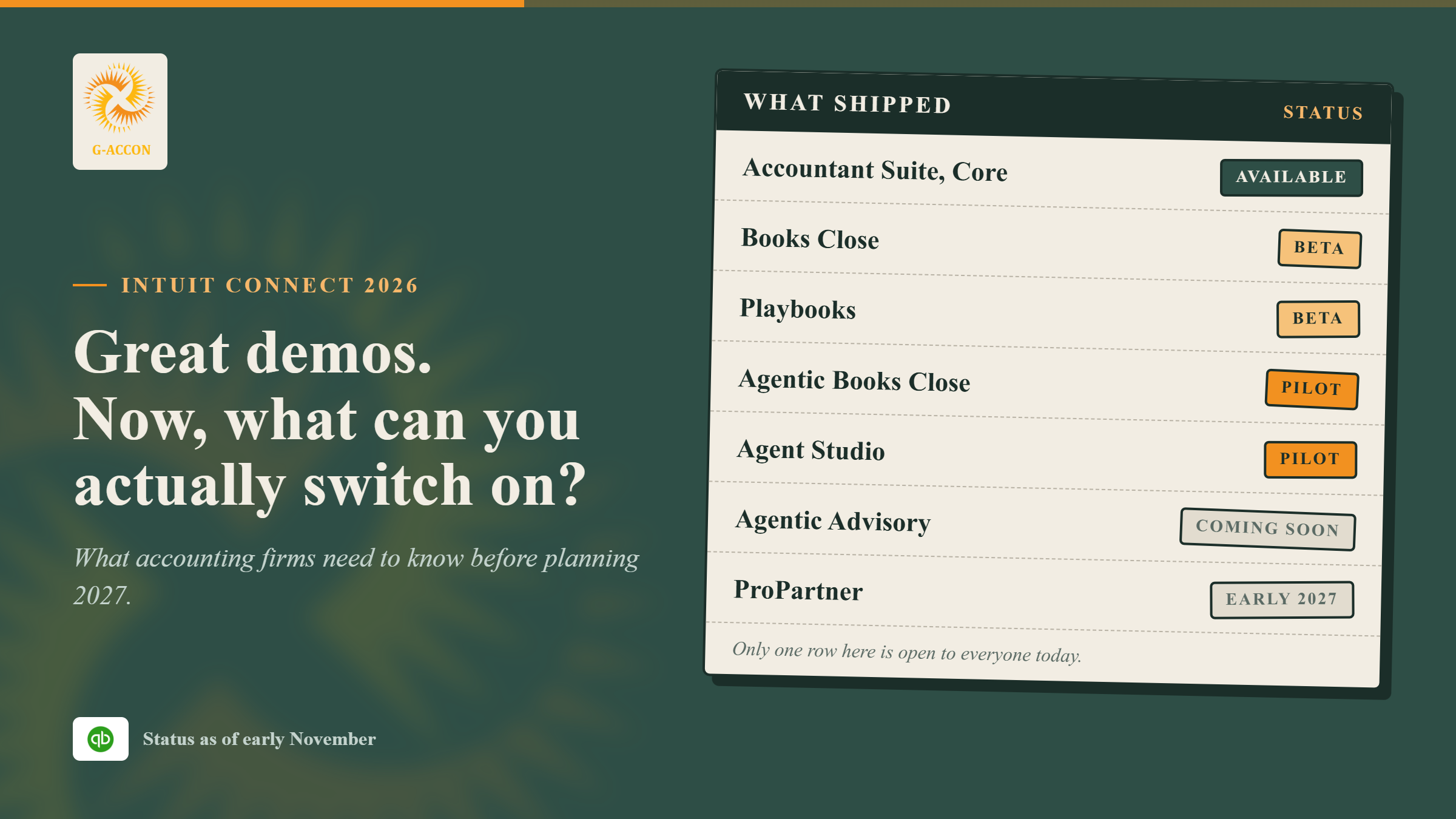
| Feature | What it does | Status |
|---|---|---|
| Books Close | Close checklists, assignees and AI anomaly detection | Beta, no extra cost on Core or Accelerate |
| Agentic Books Close | Works through your close steps and flags exceptions for review | Pilot. Free during the pilot, then a paid add-on |
| Agent Studio | Lets firms build their own agents | Pilot, with about 20 firms |
| Agentic Advisory | Drafts editable advisory packages from ledger data | Coming soon |
| Playbooks | Repeatable onboarding and service procedures | Beta, Accelerate plan |
| Cross-client insights | Trends and issues across your client base | Beta, Accelerate plan. Automatic anomaly flags coming soon |
| ProPartner | New partner program replacing ProAdvisor | Early 2027 |
| CFO Command Center (Enterprise Suite) | Consolidated view and KPIs across entities for larger businesses | Rollout not yet detailed publicly |
Books Close and Agentic Books Close sound similar, but they're quite different. Books Close is a checklist tool you can use today at no extra cost, while Agentic Books Close is the AI agent, and it's still in pilot.
Intuit says the agent won't post anything without a review first, which matters a lot if your name goes on the close. The advisory demo is worth a closer look. The sample client package carried the firm's own name, so basic branding is clearly on its way to QuickBooks.
Enterprise Suite, on the other hand, is a separate product built for larger companies with many entities, and its CFO Command Center won't do much for a firm whose clients have one or two companies.
What this means for a CAS firm
Manual exports and generic reports are getting cheaper to produce, which means they're worth less than they used to be. Judgment, repeatable service, and numbers a client can trust are what hold their value.
Intuit's 2026 Accountant Technology Survey found that 88% of accounting professionals used AI for at least one client service last year, yet only 6% want it acting on its own.
Most would rather use AI as a helper, or have it draft work that a person signs off on. That's a sensible starting point before you hand anything over to an agent.
The dates are the real news
If your firm handles somewhere between 10 and 50 clients, the calendar will matter more than any demo.
QuickBooks Online Accountant retires on December 31, 2026, Accelerate's free period ends in January 2027, and ProPartner arrives early that year.
Agentic Books Close will also start charging once its pilot ends. So if you're setting 2027 fees or rewriting engagement letters, it makes sense to build your plans around these dates.
Three questions every firm should answer
Who approves AI actions? Intuit has added an audit log and dollar limits on what can post without review. Even so, your firm still has to decide who checks agent work, how thorough that check should be, and when a client is allowed to see the output.
Can your reporting grow with your client list? Rebuilding every month-end pack by hand adds hours with each new client. Templates that refresh from the ledger, on the other hand, let a small team serve more clients without rushing the work.
Who owns each client's report? Goodarzi said the suite will connect to other ledgers and to AI tools such as ChatGPT and Claude. As more things connect, it becomes more important to keep your formulas, layouts, and models in a file your firm owns.
Where G-Accon fits
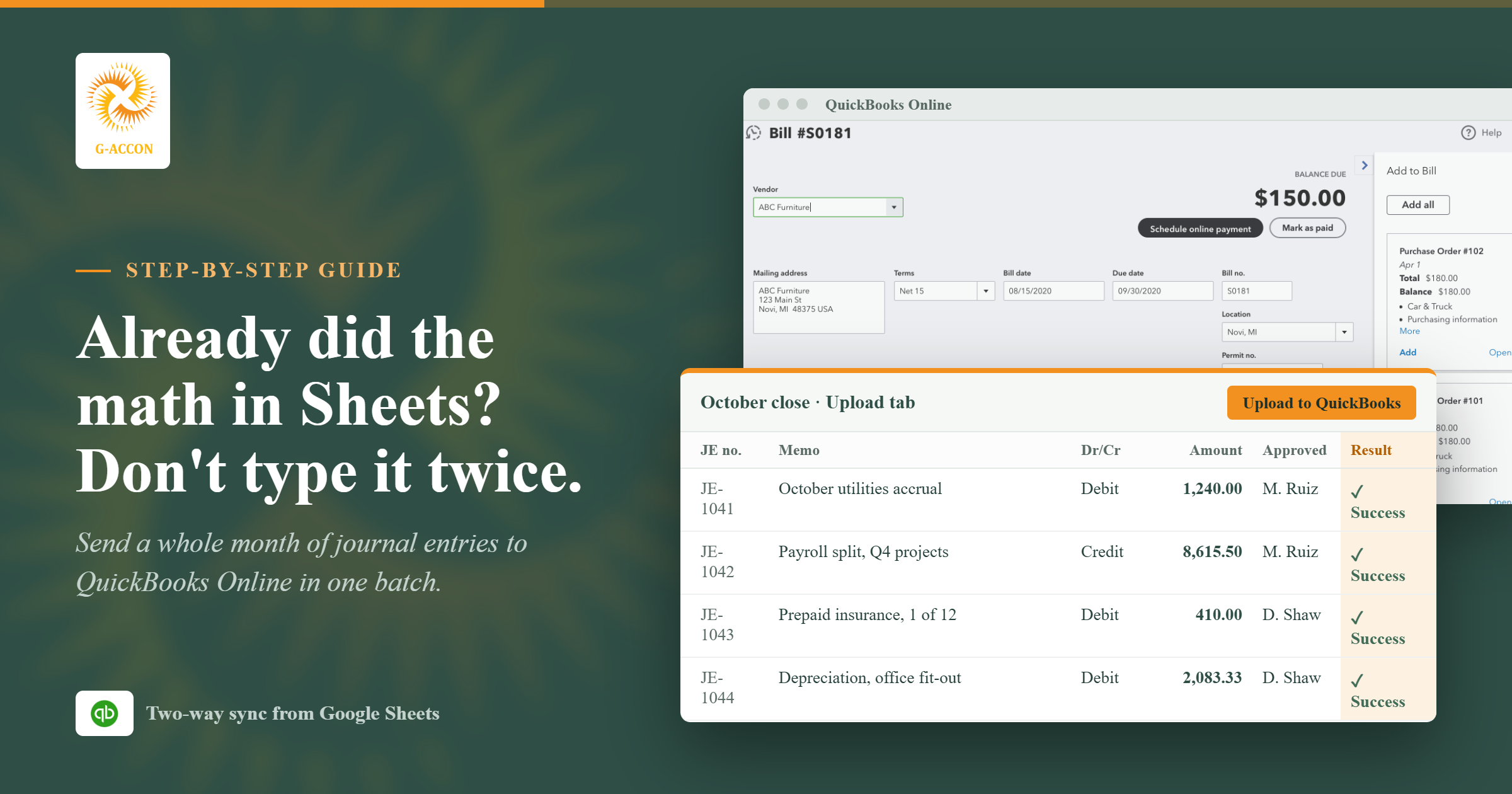
G-Accon connects QuickBooks Online to Google Sheets, so QuickBooks stays your ledger while your firm builds its own client reports on top.
With G-Accon for QuickBooks, you can pull saved reports into Sheets, keep your own formulas and layouts, and refresh everything on demand or on a schedule.
It isn't an AI agent platform, and it doesn't replace the ledger. Instead, it sits alongside Intuit's new AI tools, so you get Intuit's updates inside the books and your own design inside the reports your clients read.
Branding the report
Intuit's advisory packs will carry your firm's name, but with G-Accon you control the entire design. You can add your logo and colors, choose from more than 100 templates rather than starting from a blank sheet, and add your own KPI tabs, notes, and formulas, since the report lives in Google Sheets.
Several companies, one set of statements
For clients with more than one QuickBooks Online company, G-Accon builds combined statements in Sheets and handles intercompany eliminations and grouped accounts along the way.
The Pavilion Advisors case study shows how one CPA firm handles this. Its team maps each entity's accounts into shared report lines, removes intercompany balances, and refreshes the statements every month.
Intuit's Firm of the Future site also featured this workflow in a September 2026 webinar with Pavilion founder Keith Arnell, CPA. For the full feature list, see the multi-entity consolidation page.
Two firms, two results
Pavilion Advisors works with clients in real estate, construction, and SaaS, and it replaced manual exports with reusable, board-ready packs. Bennett Financials, a fractional CFO firm for service businesses, uses G-Accon for branded client reports.
According to its case study, the firm saves more than 20 hours a month on reporting. Those results belong to those two firms, so your own outcome will depend on your client mix.
A three-step workflow
Keep the books and approvals in QuickBooks, build the reports in Sheets, and review everything before a client sees it. This approach works whether or not your firm is part of an Intuit pilot.
Source transactions, close steps, and approvals stay in QuickBooks Online. Books Close and Playbooks can help your team follow the same checklist every month, and then you connect G-Accon for QuickBooks to the companies you report on.
Build one template in Google Sheets with your branding and formulas. If a client has more than one entity, set up consolidation at the same time. Because you'll reuse this template every month, it's worth getting it right once.
After each close, refresh the template on demand or on a schedule. Check the numbers against the ledger, and then send the approved pack to your client.
What to pilot before you scale
Start with one client pack, one consolidation, and one dashboard that you can repeat. Only expand what passes a basic scorecard, because a small test teaches you more than any Intuit Connect 2026 keynote, and it keeps your clients from becoming beta testers.
| Check | What to ask |
|---|---|
| Status | Is it pilot, beta or GA? Keep pilots away from client-facing work. |
| Exception rate | How many AI items needed a human fix over three closes? |
| Review time | Did the minutes per client per close actually drop? |
| Audit trail | Can a reviewer trace every AI action? |
| Cost after the free period | Is the per-client cost lower than the time it saves? |
| Output fit | Does the pack meet your firm's design standard? |
Where to start
Books Close is free and already live, so it's a good idea to try it on a few clean, single-entity clients first. Test cross-client insights before Accelerate becomes a paid plan, so you can judge whether it's worth the cost.
If you get into the Agentic Books Close pilot, choose three to five simple clients and name one reviewer. On the reporting side, build one branded pack and one consolidation in Sheets, then run them through two or three closes.
If you also have Xero clients, G-Accon for Xero works the same way through its own connection. Once the small test holds up, a workflow demo is a sensible next step.
FAQ
What were the main Intuit Connect 2026 announcements for accountants?
Agentic Books Close and Agent Studio are both in pilot, while Agentic Advisory is coming soon. Playbooks and cross-client insights are in beta on the Accelerate plan. Intuit also announced a new ProPartner program for early 2027, along with new tools in Enterprise Suite for larger companies.
Can every QuickBooks user get Intuit's new AI workflows?
Not yet. Many are pilots for a small group of firms, and some are still marked coming soon. Playbooks and cross-client insights need the Accelerate plan, which is free only until January 2027. Check Intuit's release notes for the latest status on each feature.
How do I get custom-branded QuickBooks reports?
Intuit's advisory packs will carry your firm's name. If you want full control over logos, colors, layouts, and formulas, you can pull QuickBooks data into Google Sheets with G-Accon, use its branded themes and templates, and refresh the reports on a schedule.
Can G-Accon consolidate several QuickBooks companies?
Yes. It builds combined reports across several QuickBooks Online companies in Sheets, with intercompany eliminations, grouped accounts, and multiple currencies. The Pavilion Advisors case study walks through a real example.
Does G-Accon work with Xero too?
Yes. G-Accon has separate products for QuickBooks Online, Xero, Sage, FreshBooks, and Xero Practice Manager. Each one connects on its own, and the pricing page shows which plan fits the platforms you use.
Want reporting that keeps pace with Intuit?
G-Accon won't replace Intuit's agents, and it isn't designed to. What it offers is a flexible, branded reporting layer in Google Sheets that sits on top of QuickBooks. Take a look around, compare the plans, or book a demo built around your client mix.