Release updates for G-Accon for Xero, G-Accon for QuickBooks, and G-CashFlow
Enhancements released in April, 2026
✅ G-Accon for QuickBooks
✅ G-Accon for Xero
Watch latest videos in G-Accon Integration channel
Whether you're producing monthly P&L statements, cash flow summaries, or custom management reports, G-Accon's QuickBooks integration streamlines the entire process — reducing manual exports and keeping your data always up to date.
Three powerful new comparison report modes have been released for Profit & Loss, Balance Sheet, and Cash Flow — giving finance teams deeper visibility into performance trends directly within Google Sheets.
The standard Comparison report lets you place two or more periods side by side — for example, this month versus last month, or this quarter versus the same quarter last year.
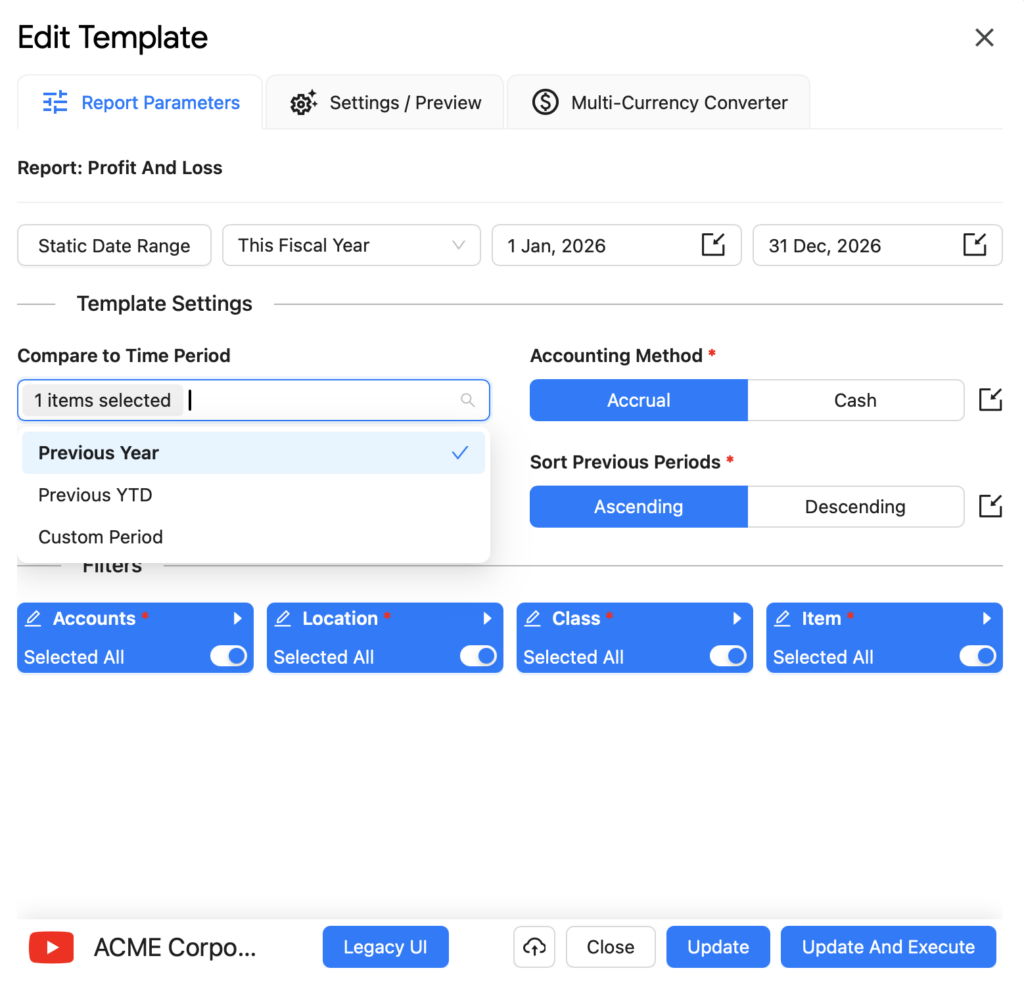
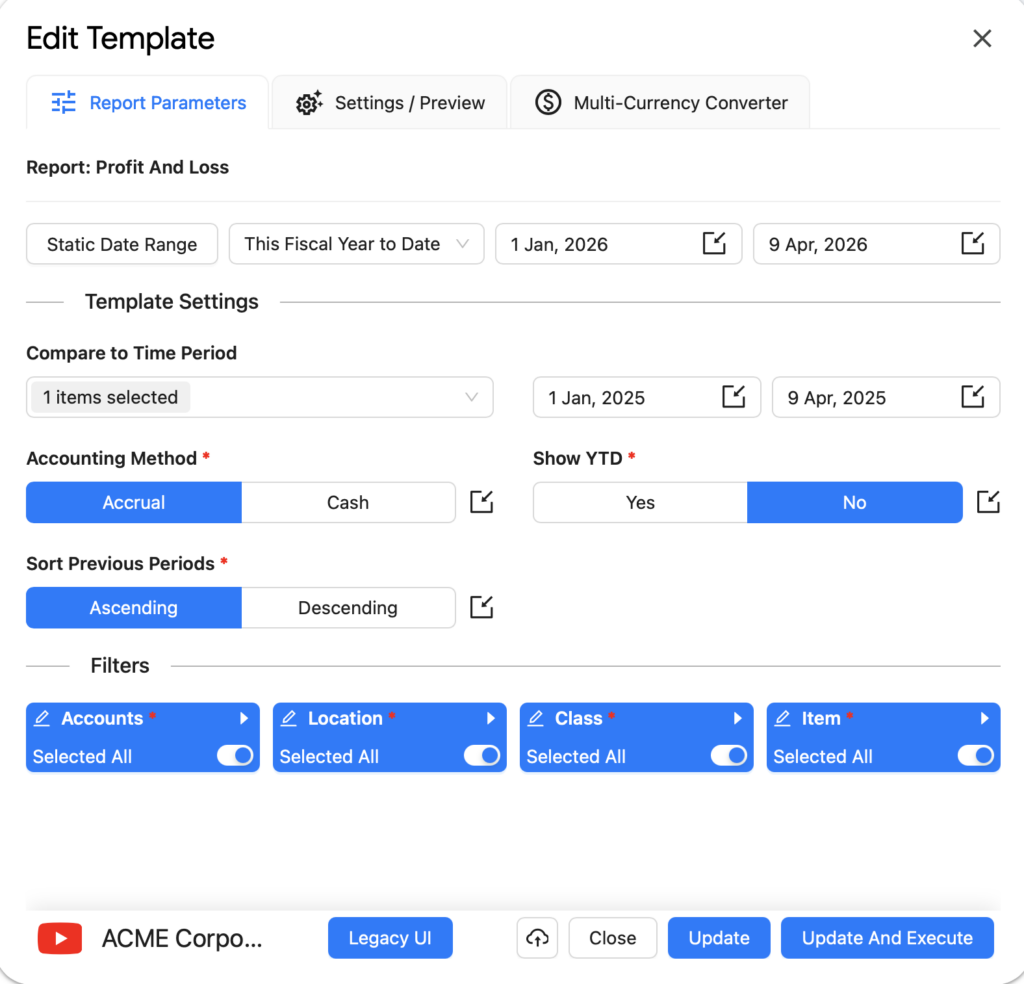
To set it up, open the Edit Template panel, go to Report Parameters, set your date range (e.g. This Fiscal Year), then under Compare to Time Period select Previous Year.
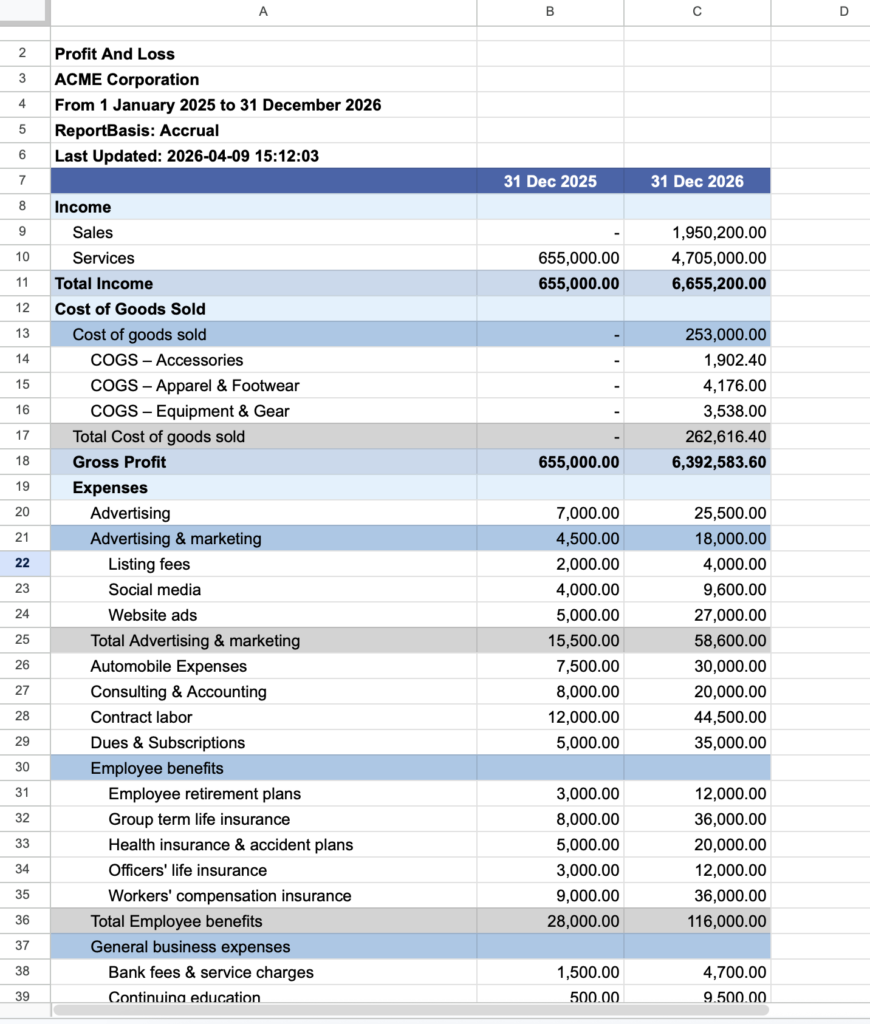
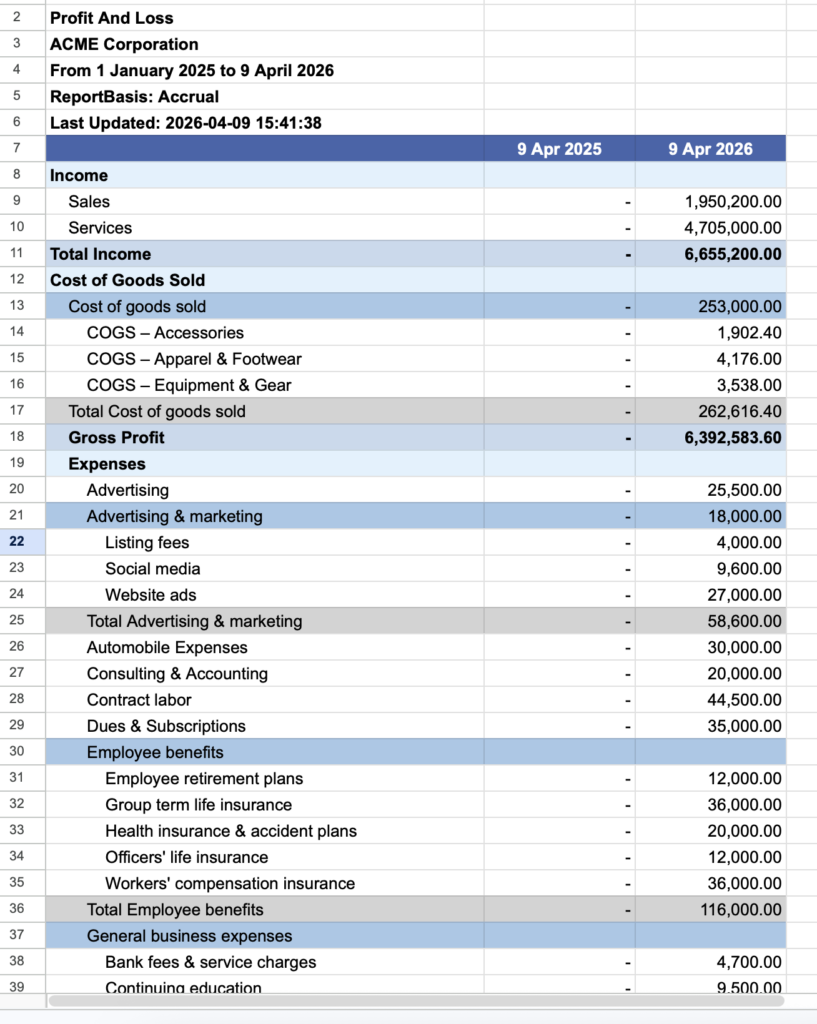
The resulting report in Google Sheets displays two columns side by side — 31 Dec 2025 and 31 Dec 2026 — across all P&L line items including Income, Cost of Goods Sold, Gross Profit, and Expenses, making year-over-year movement immediately visible.
The Year-to-Date (YTD) Comparison report automatically accumulates figures from the start of the financial year up to a selected end date, then compares that total against the equivalent YTD period in a prior year.
This is particularly valuable for board reports and investor updates, where stakeholders need to understand cumulative performance rather than a single-month snapshot. The report handles year boundaries automatically, so there's no need to manually adjust date ranges as you move through the financial year.
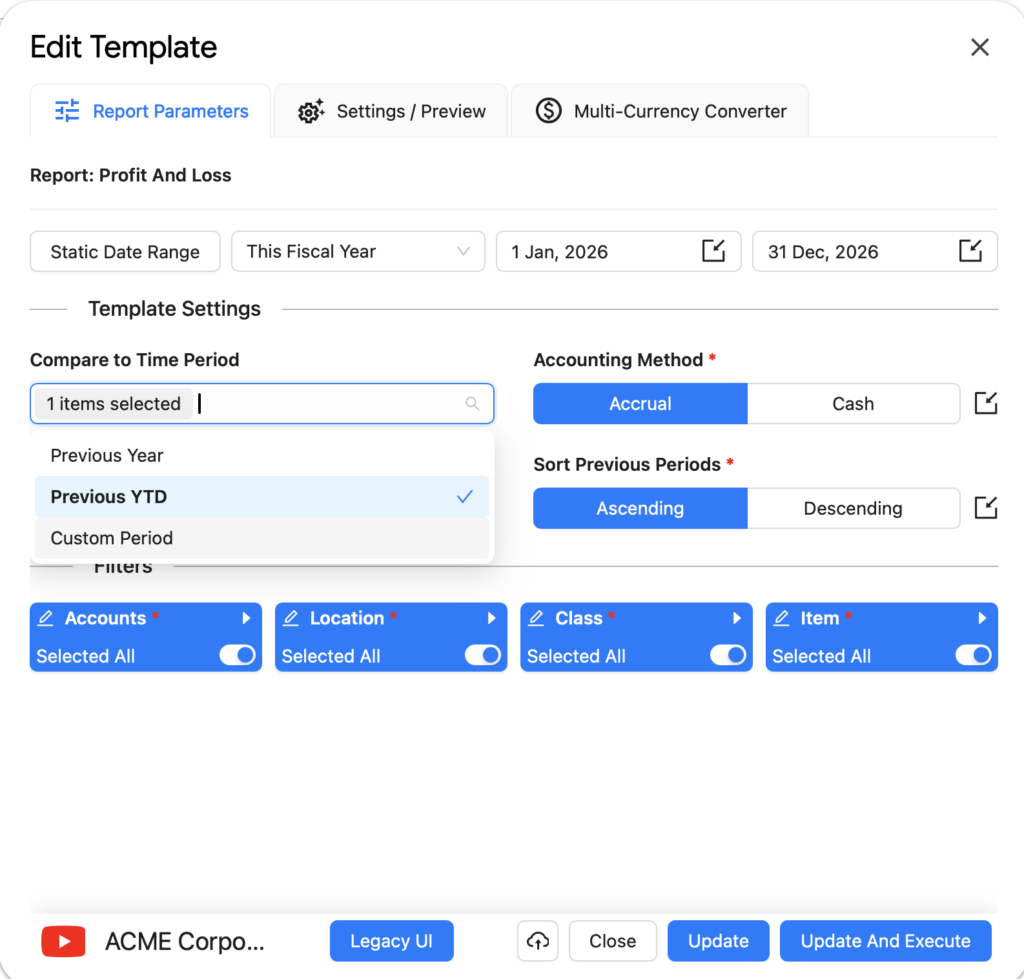
To configure it, set the date range to This Fiscal Year and under Compare to Time Period select Previous YTD.
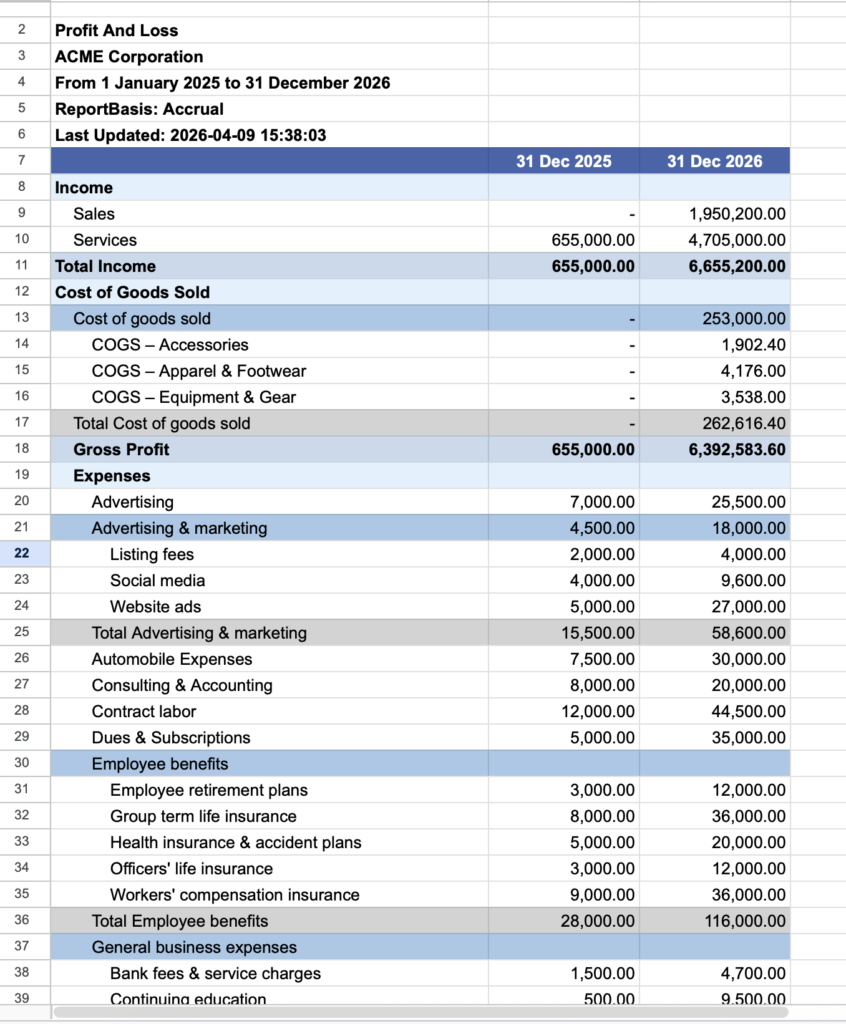
The output compares the full-year figures for 31 Dec 2025 against 31 Dec 2026, showing cumulative totals across all financial statement lines.
For businesses whose financial year doesn't align with the calendar year, or for those needing flexible reporting windows, the Custom Date YTD Comparison report offers full control over the start and end points of the YTD range.
You can define any date range as your "year to date" baseline and compare it against any equivalent prior period — making this report ideal for multi-entity businesses, grant reporting, project-based accounting, or any scenario where standard fiscal year boundaries don't apply.
Set the date range to This Fiscal Year to Date (e.g. 1 Jan–9 Apr 2026), then under Compare to Time Period select Previous YTD with a custom comparison window of 1 Jan–9 Apr 2025. A Show YTD toggle lets you control whether the accumulated YTD total is displayed alongside the period columns.
The output aligns both periods to the exact same point in time across different years — here 9 Apr 2025 versus 9 Apr 2026 — giving a precise like-for-like comparison regardless of where you are in the financial year.
All three report types are available across the three core financial statements:
Together, these new report types eliminate the need for manual period-over-period calculations and give accounting teams a consistent, repeatable framework for financial analysis — all within the familiar environment of Google Sheets.
In this interactive video, you'll learn how to easily generate, customize, and analyze QuickBooks reports using G-Accon's new user-friendly tools and features. The updated reporting suite gives you greater control over how financial data is pulled from QuickBooks into Google Sheets — letting you filter by date range, account type, and class, then format and share results without leaving your spreadsheet.
An external G-Accon API has been introduced for Xero users. It allows you to trigger automations from outside the G-Accon product — for example, directly from your own systems, third-party platforms, or custom workflows built on tools like Zapier, Make, or your own backend services.
With the external API, you can programmatically initiate report runs, data syncs, and scheduled exports without needing to open Google Sheets or interact with the G-Accon add-on manually. This is especially useful for teams that want to embed G-Accon automations into broader business processes — such as triggering a Xero data refresh after a month-end close, or syncing financial data as part of a larger ETL pipeline.
The API is open and fully documented, making it straightforward to integrate into any environment that can send HTTP requests. Authentication is handled securely via your existing G-Accon credentials. See how it works in the short interactive video below.