Release updates for G‑Accon for Xero and QuickBooks
G‑Accon for QuickBooks: Released Changes and Enhancements
External G‑Accon API
An external G‑Accon API has been introduced for QuickBooks Online users. It allows you to trigger automations from outside the G‑Accon product — for example, directly from your own systems or custom workflows.
It’s an open API, and you can see how it works in this short interactive video:
Consolidated Aged Receivables/Payables Reports
Consolidated Aged Accounts Receivable/Payable Detail and Summary reports have been released for QuickBooks users.
You can access these reports by navigating to:
Extensions → G‑Accon for QuickBooks → Get Accounting Data/Reports → Consolidated Reports.
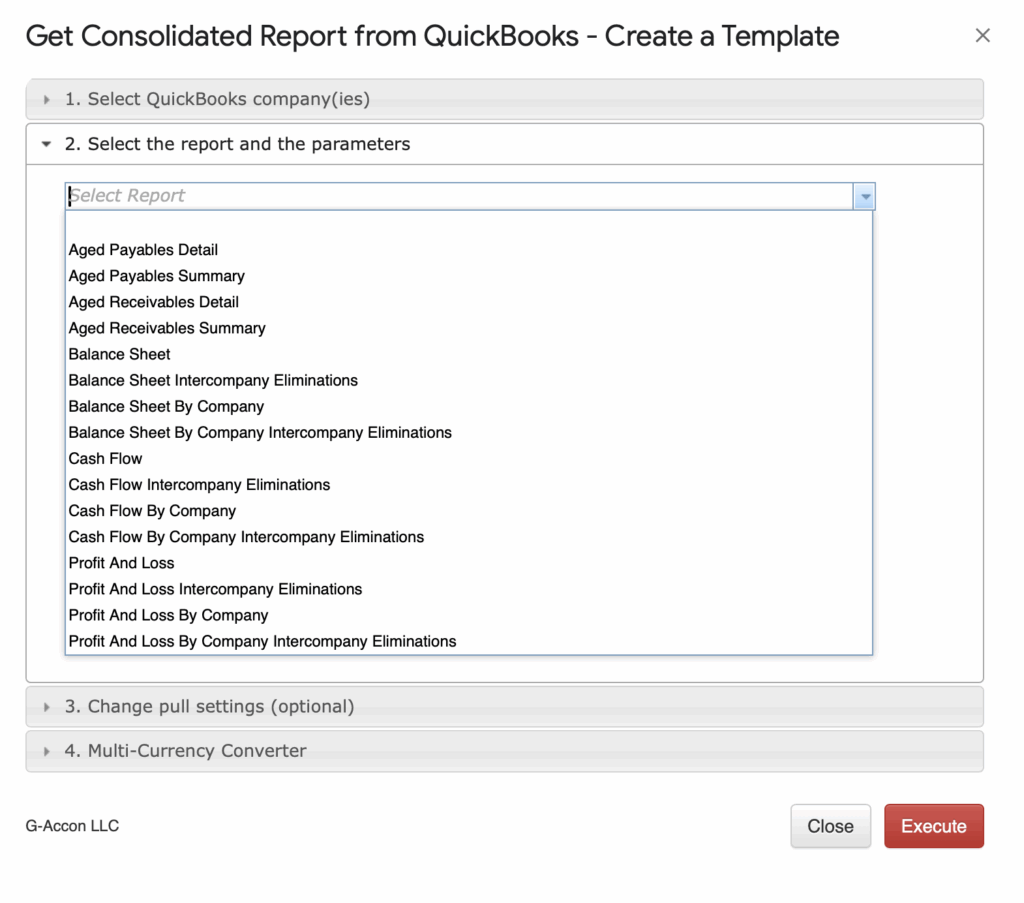
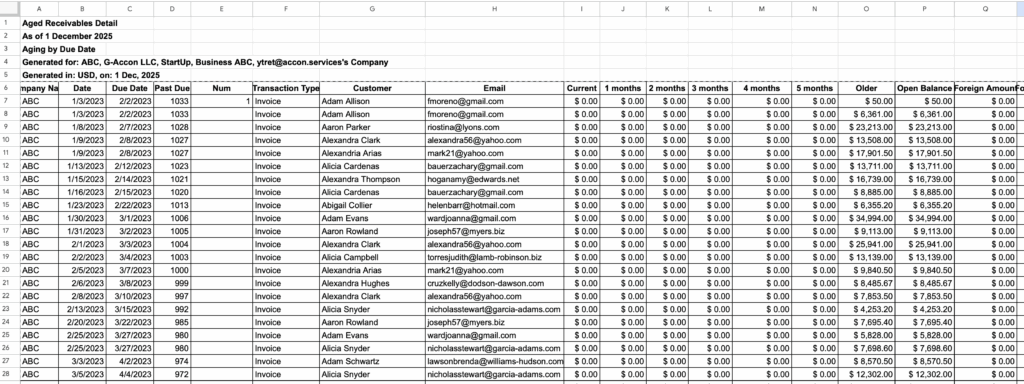
You can see how it works in this short interactive video
G‑Accon for QuickBooks/G‑Accon for Xero: Released Changes and Enhancements
Downloading Connected Organizations/Users (Buy/Manage License)
You can download the list of connected organizations and users from the Buy/Manage License module.
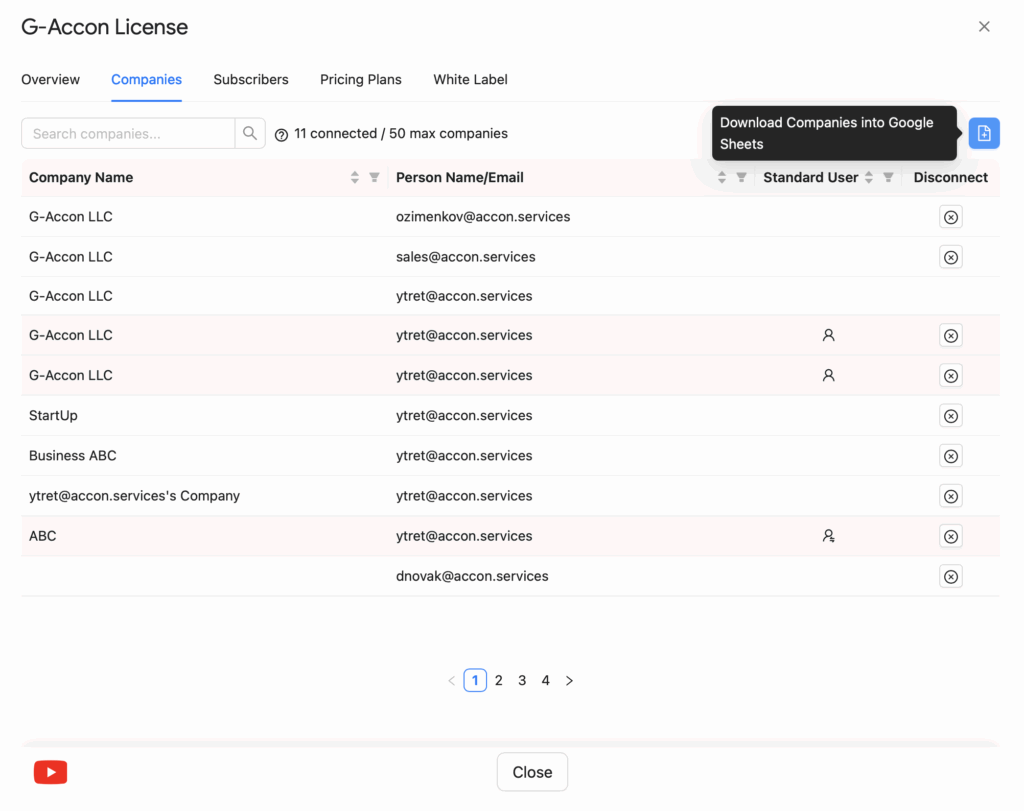
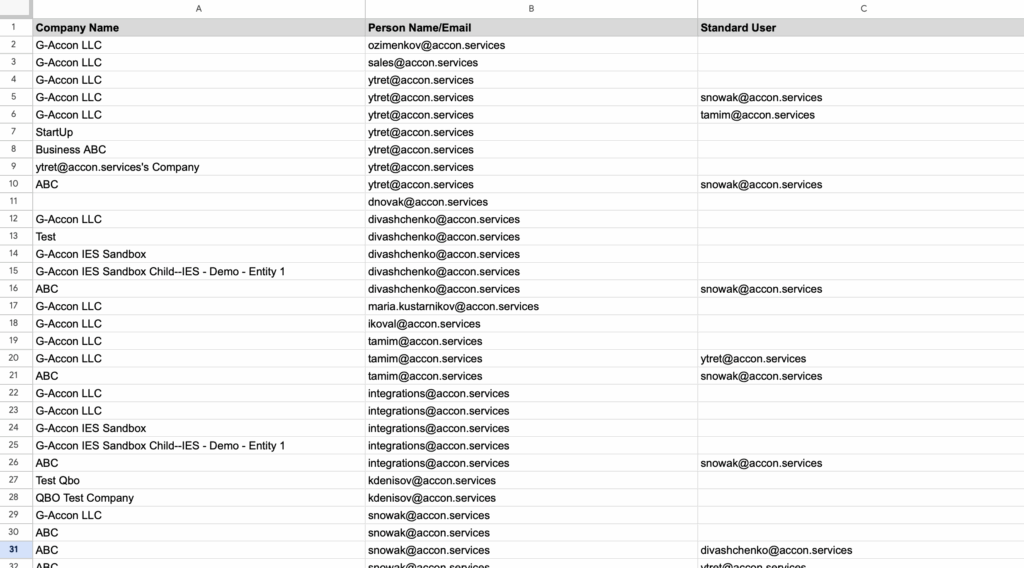
You can see how it works in this short interactive video
Custom Dates Set Up
Custom dates in G‑Accon allow you to create flexible reporting scenarios by dynamically controlling the date ranges in your templates. Here’s how they work and what you can do with them:
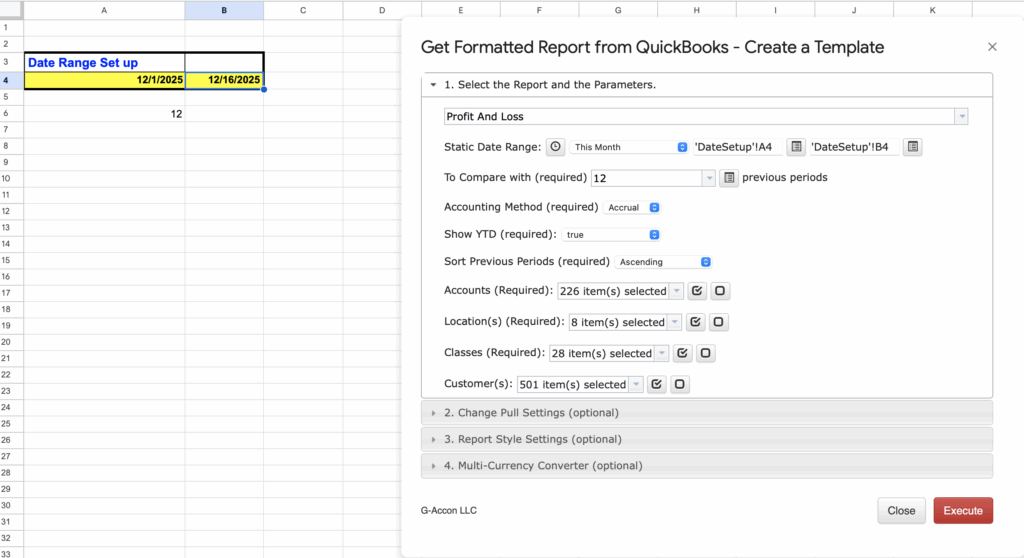
1. Dynamic Date Ranges — You can set dates that automatically adjust based on today’s date. Example: “This Week,” “This Month,” or “Year to date.” Useful for recurring reports where you don’t want to manually update dates every time.
2. Static Date Ranges — You can fix start and end dates for a report. Example: January 1–March 31, 2025. Best for historical reports or one‑time analyses.
3. Cell‑Referenced Dates — You can pull dates directly from Google Sheet cells into your report templates. This allows non‑technical users to control the reporting period simply by changing cell values.
4. Combined Scenarios — You can mix dynamic, static, and cell‑referenced dates in one template. Example: Pull last month’s transactional data (dynamic) but compare it to a fixed historical period (static) stored in another cell.
You can see how it works in this short interactive video